Reserved oil set menu, can be set on the serial port currently
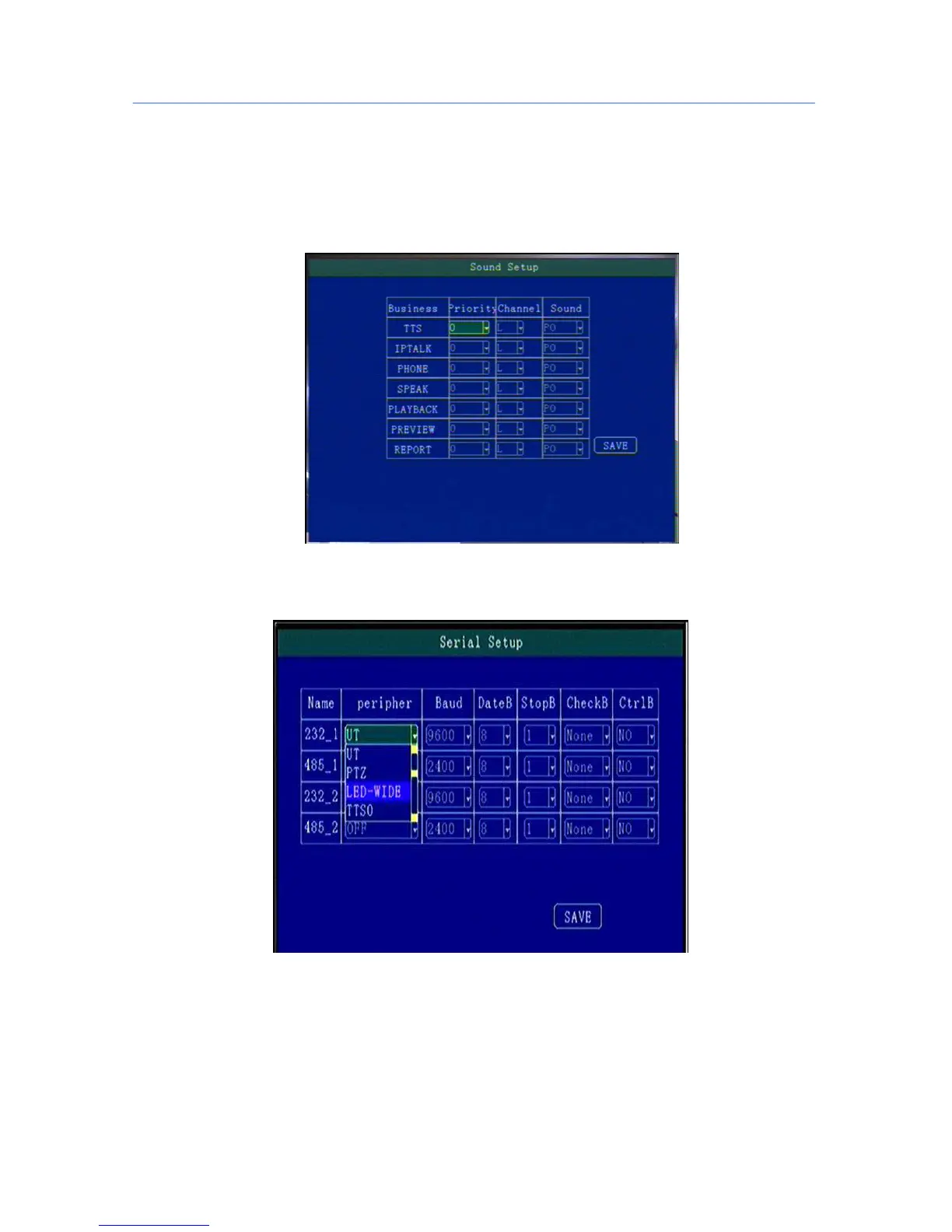
5.8.3 Speaker Setup.
Support TTS voice broadcast, telephone call, IP intercom, voice report bus stops,playback audio output and other
functions.
5.8.4 Serial Port Set
External Device parameter setting, can connect LED Advertisement/TTS/Oil/Sensor/POS etc ;
“ Peripheral”:The external device type option,press [OK] For Changing;
“ Baud Rate”:Choose Baud Rate of external device,press [OK] for changing;
“ Data Bit”: Choose the Data bit of external device, press [OK] for changing;
“ Stop Bit”:Choose the Stop bit of external device, press [OK] for changing;
“ Check Bit”:Choose the Check bit of external device, press [OK] for changing;
“Control Bit”: Choose Control bit of external device, press [OK] for changing;



 To Next Page