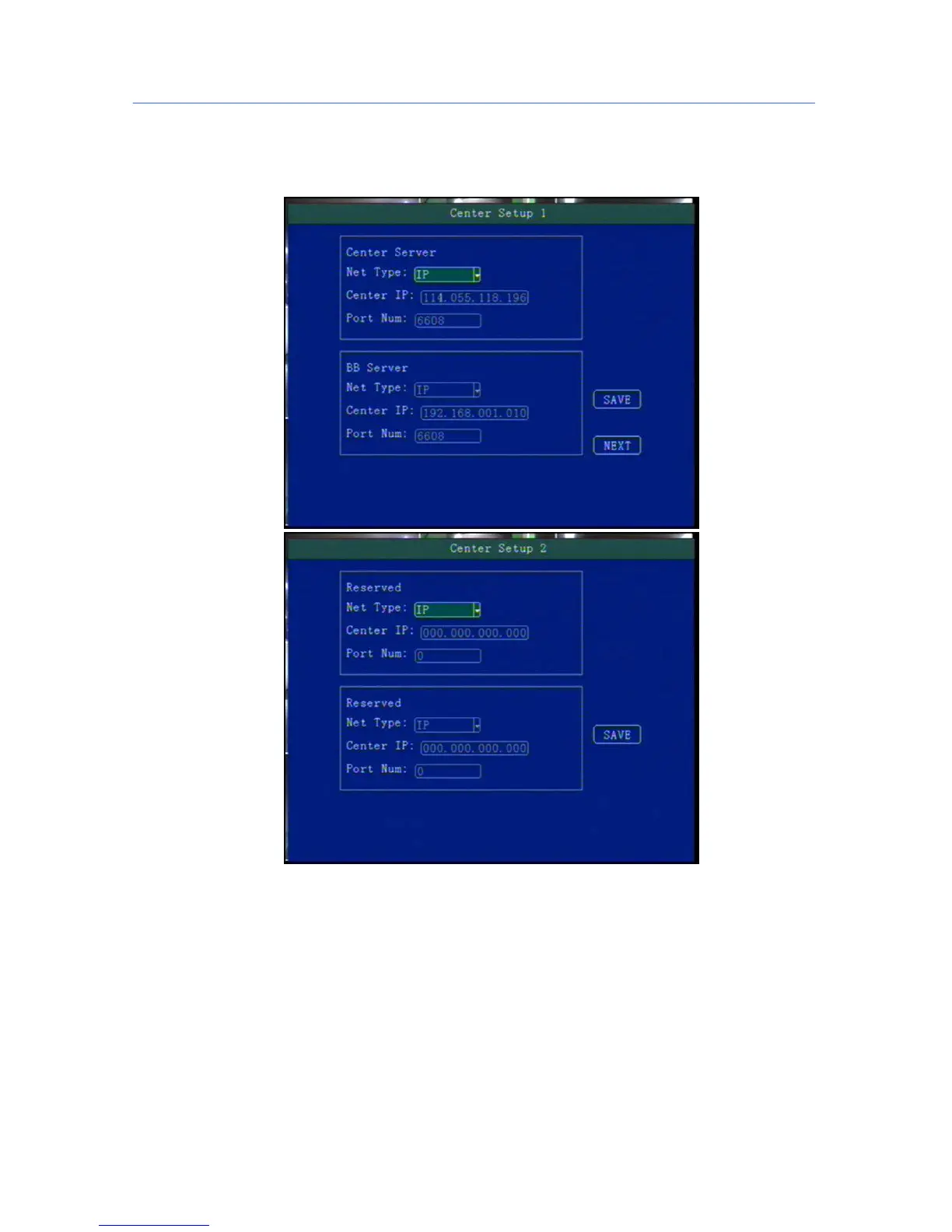
5.6.1 Center Setup
Set Server IP and Port ;
“Monitoring Center”:Set 3G /4G Video Center IP or domain,port information etc,
“Network Type”:Set 3G network type, IP address/Domain optional;
“Center IP”:3G Server IP/Domain setup. Press right key to enter keyboard interface,input the numbers
via remote controller,then press [OK] for setting,;
“Port”:Communication port between 3G device and Server,must be same with server configuration;
“Group2 Center”:BD Server IP/Domain/Port Setup,make device can hang on BD server;(Chinese
Government Server)
“Network Type”:BD Server network type,IP/Domain type optional;
“Center IP”:BD server IP/Domain setup,Press [OK] for setting;
“Port”:Communication Port of Device and server,port setting must be same with server configuration;
Group3 and Group4 are kept for reserve.



 To Next Page