12 / 47
3
.6. Mount WKS I nverter
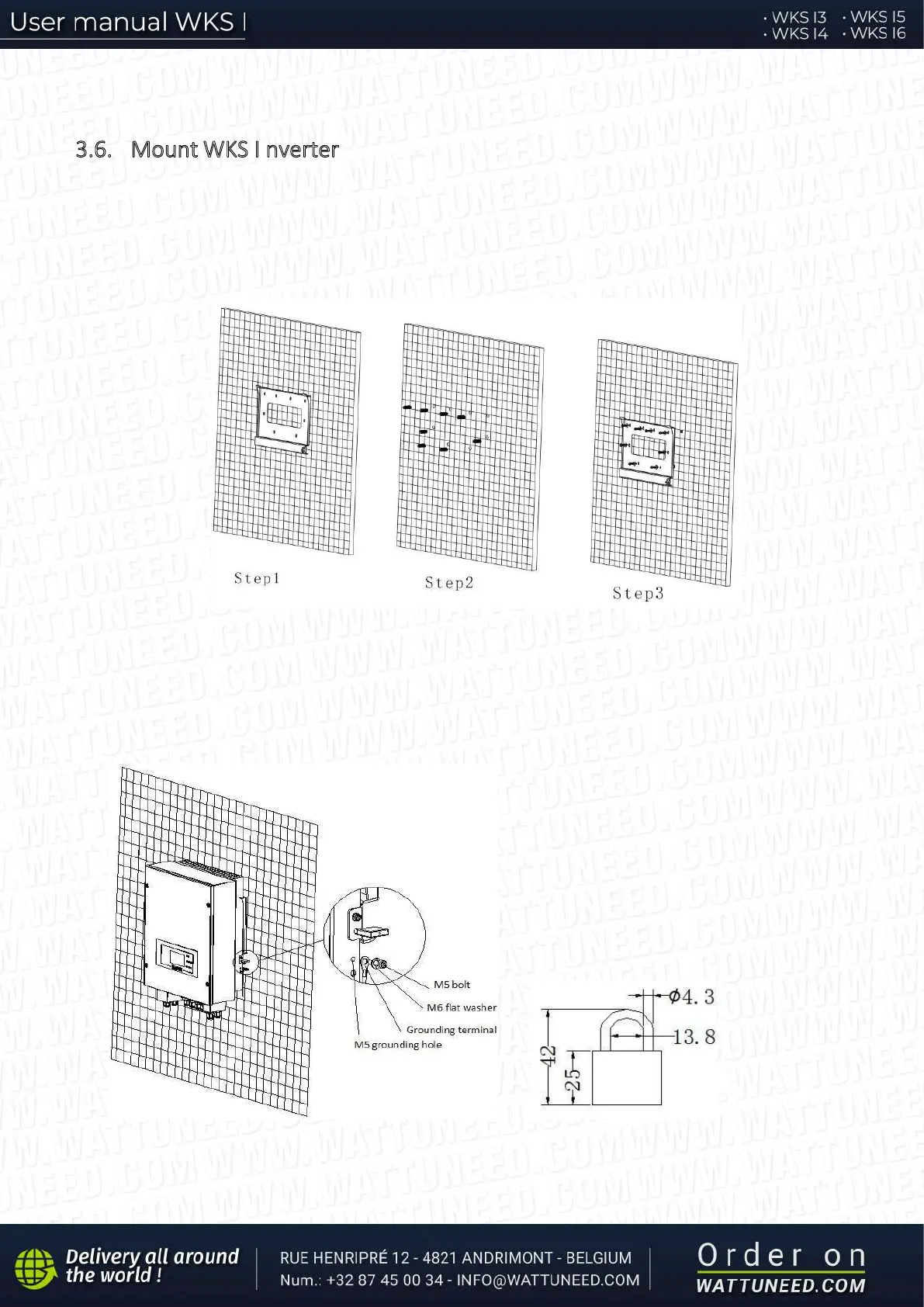
Step 1: Put the mounting bracket properly on the wall, mark these 8 drill holes using a marker pen. Drill 8 holes (drill
bit 6mm) on the wall.
Step 2: Insert the expansion screw vertically into the hole, note the insertion depth. (not too shallow or too deep)
Step 3: Fix the mounting bracket on the wall using bolts & flat washers.
Step 4: Put WKS I inverter on the mounting bracket.
Step 5: Earth WKS I inverter using the grounding hole on the heat sink.
Step 6: OPTIONAL: you can lock WKS I inverter to the mounting bracket.
Step 5 Step 6


 To Next Page