EasyManua.ls Logo

WKS i3 - Buttons and Indicator Lights; Buttons; Indicator Lights and Status of WKS I Inverter

WKS i3
47 pages
Print Icon
To Next Page IconTo Next Page
To Previous Page IconTo Previous Page
Loading...
20 / 47
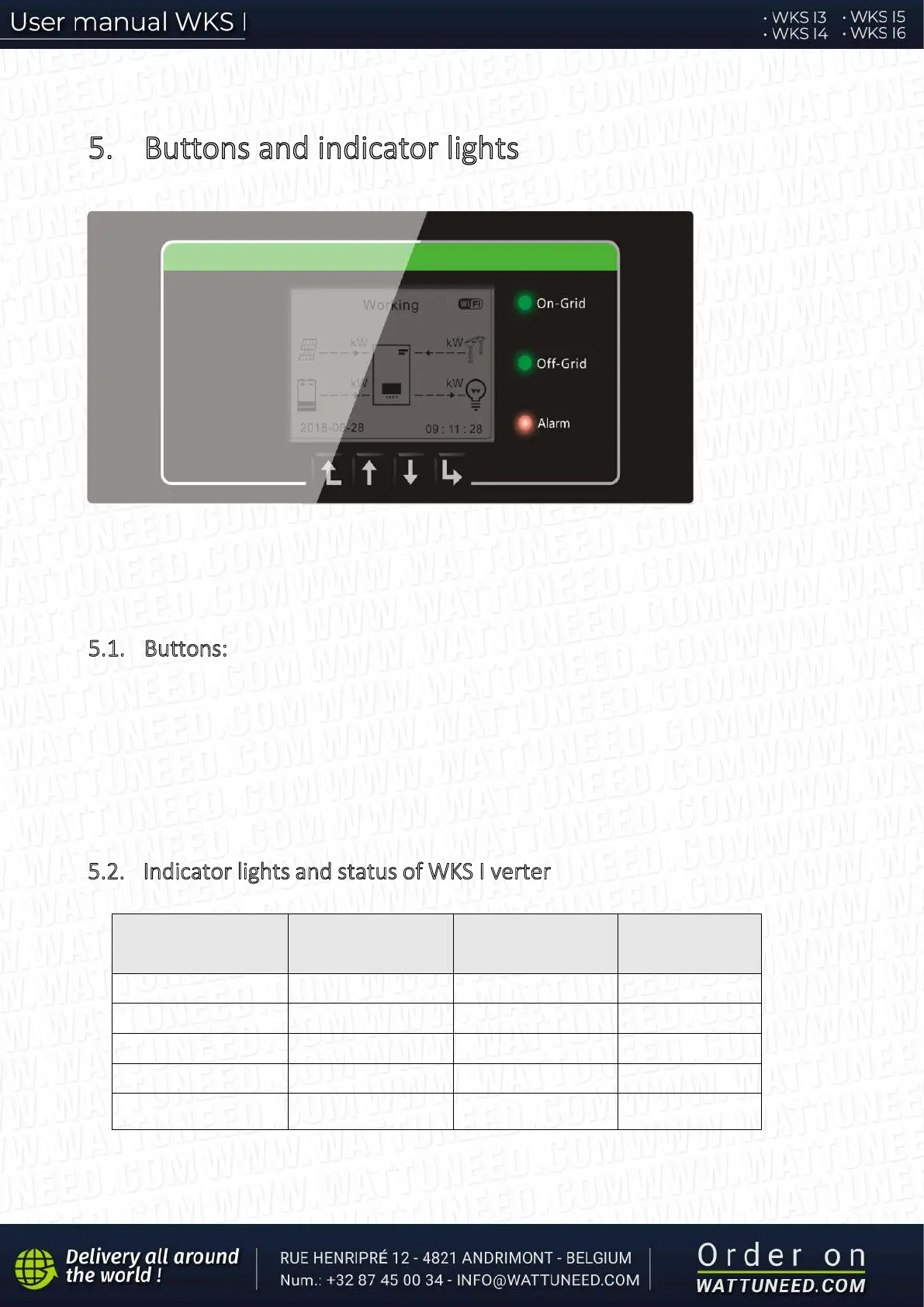
5. Buttons and indicator lights
On-Grid Status Light
Off-Grid Status Light
Alarm Light
Back Up Down OK
Fig 16. Buttons and indicator lights
5
.1. Buttons:
press “Back” to the previous screen or enter the main interface;
press “Up” to the upper menu option or value plus 1;
press “Down” to the lower menu option or value minus 1;
Press “OK” to select the current menu option or switch to the next digit.
5.2. Indicator lights and status of WKS I verter
Status of WKS I inverter
On Grid
Green light
Off-Grid
Green light
Alarm
Red light
On-grid ON
Standby (On-Grid)
Flashing
Off-Grid ON
Standby (Off-Grid) Flashing
Alarm ON