WLKATA Mirobot Manipulator User Manual
Document version 1.0 User Manual Copyright© Beijing Tsinew Technologies Co., Ltd.
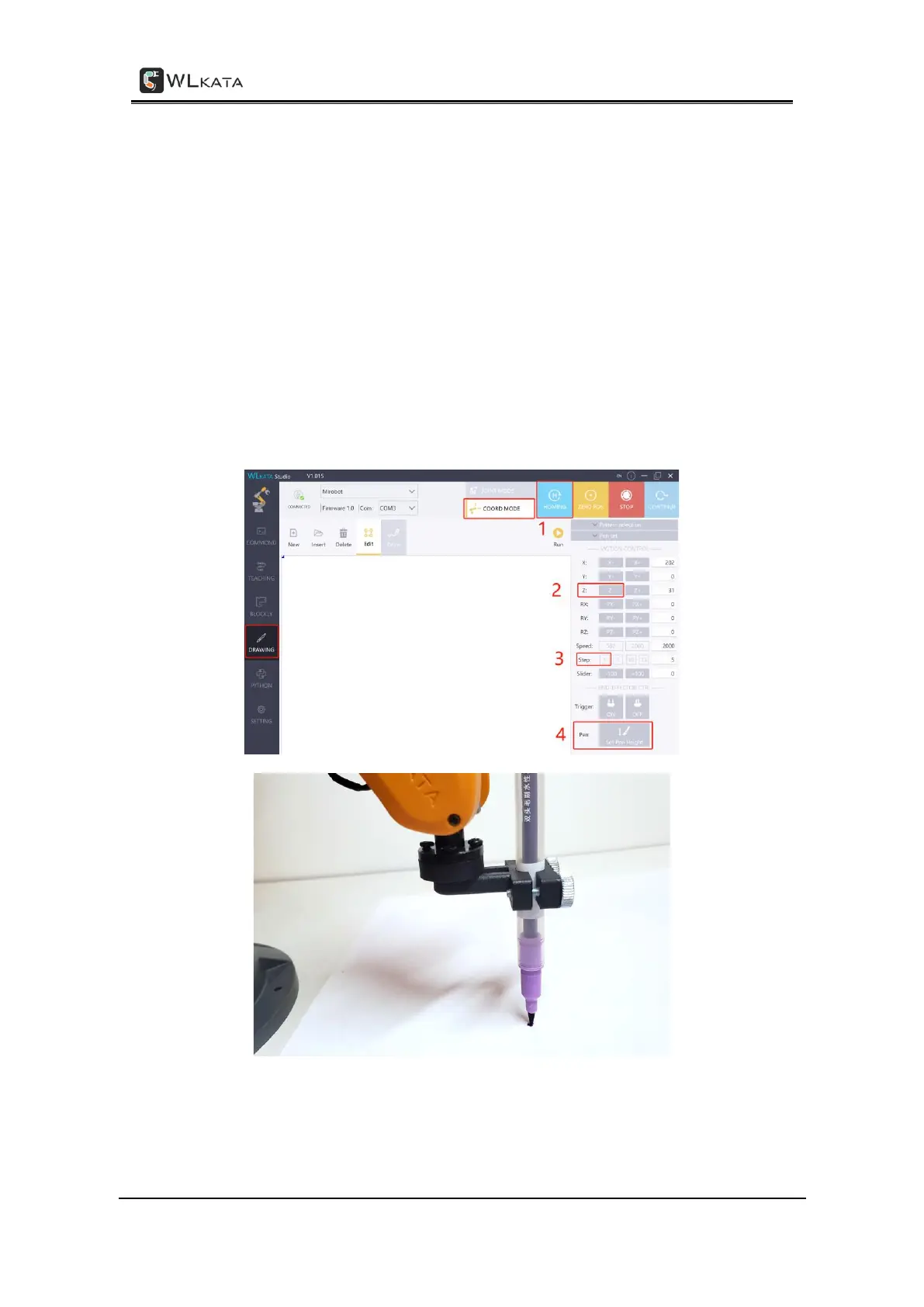
• Open the Mirobot Studio software. Confirm there is "CONNECTED" in the upper left
corner, switch to the DRAWING panel, then click "HOMING" to reset the robotic
arm.
• After the manipulator back to the homing position, click the Z- button to adjust the
height of the pen tip until it just touches the paper.
• When the pen is closer to the paper, you can set the Step to "1".
• The value of Z axis shall between around -10 and 35. Be careful not to over-adjust
the Z axis position lower than it need to be, or the pen tip would hit the desktop
too hard, interrupt the pen from moving and even cause damages to the joints.
• When the pen tip is just touches the paper, click Set Pen Height button to set this
pen height for the DRAWING function.
Setting the pen height before drawing



 To Next Page