23
User Manual WMF 2000 S
Software
3.3.2 Timer program
The timer program sets the switch on and switch off times.
The main “Timer Program“ menu contains the following
selection options:
Timer state•
Set timer•
Timer overview•
Delete timer•
Timer information •
Timer state
Touch the
pad
Activate / deactivate timer = On / Off.
Set timer
Touch the
pad
Program the switch on and switch off times.
Touch the
pad
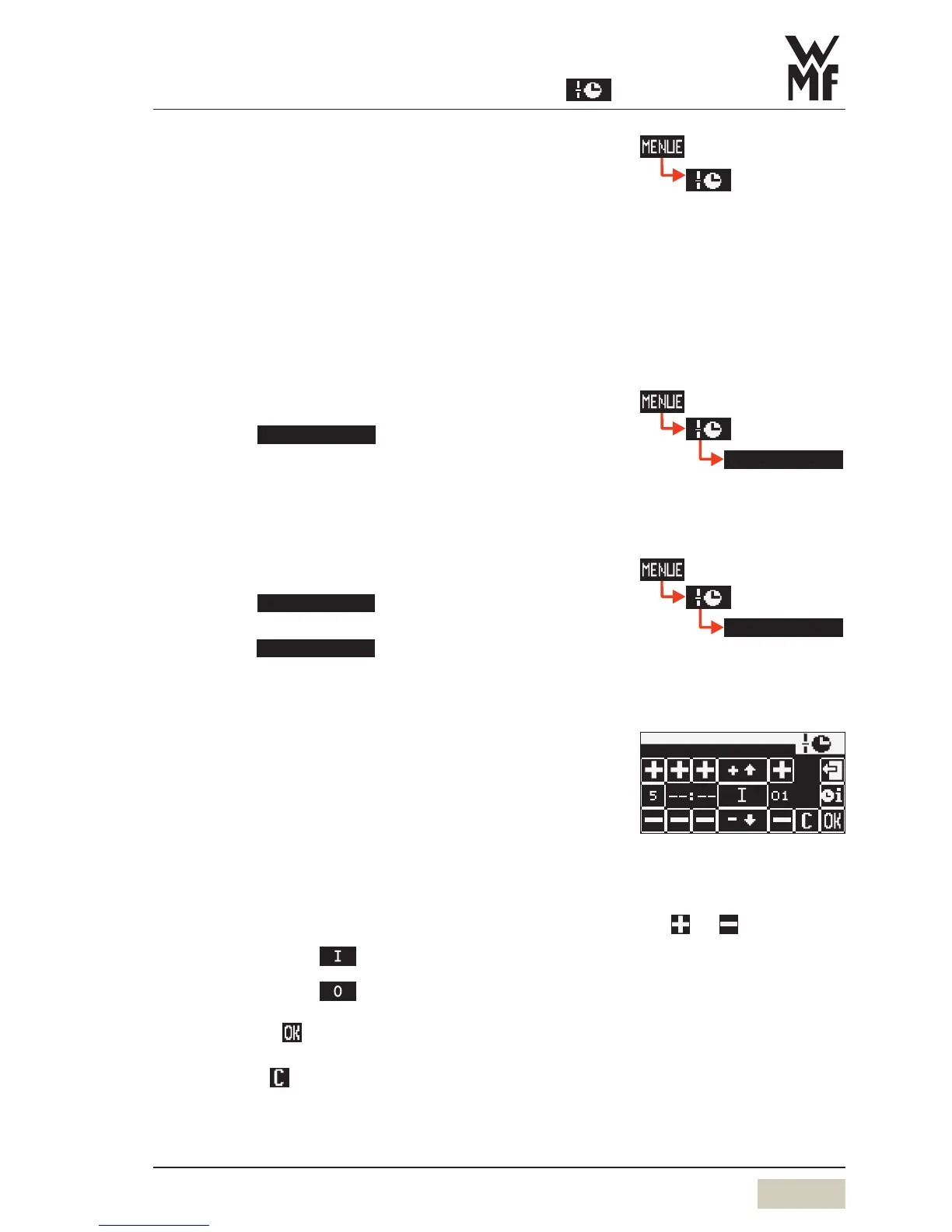
The operating time display appears. Here the day, time,
and desired operation are set.
Set day (Day)
1 = Monday•
2 = Tuesday, etc. up to 7 = Sunday•
1-5 = Monday to Friday (weekdays)•
1-7 = entire week (Monday to Sunday)•
Set the time (hours, minutes)
Set the desired switching time (action)
Switch on time • =
(on display)
Switch off time • =
(on display)
Confirm with
or
Delete with
When the timer is activated,
the timer symbol, a little clock,
appears on the display.
operating time
day h min
action prg
In day 1-5 or day 1-7, the
switching times are copied to the
indicated days.
Select desired settings with the
pads
and .
Current selection is inversely
displayed.



 To Next Page