Initial setup
7
Enter this value during setup.
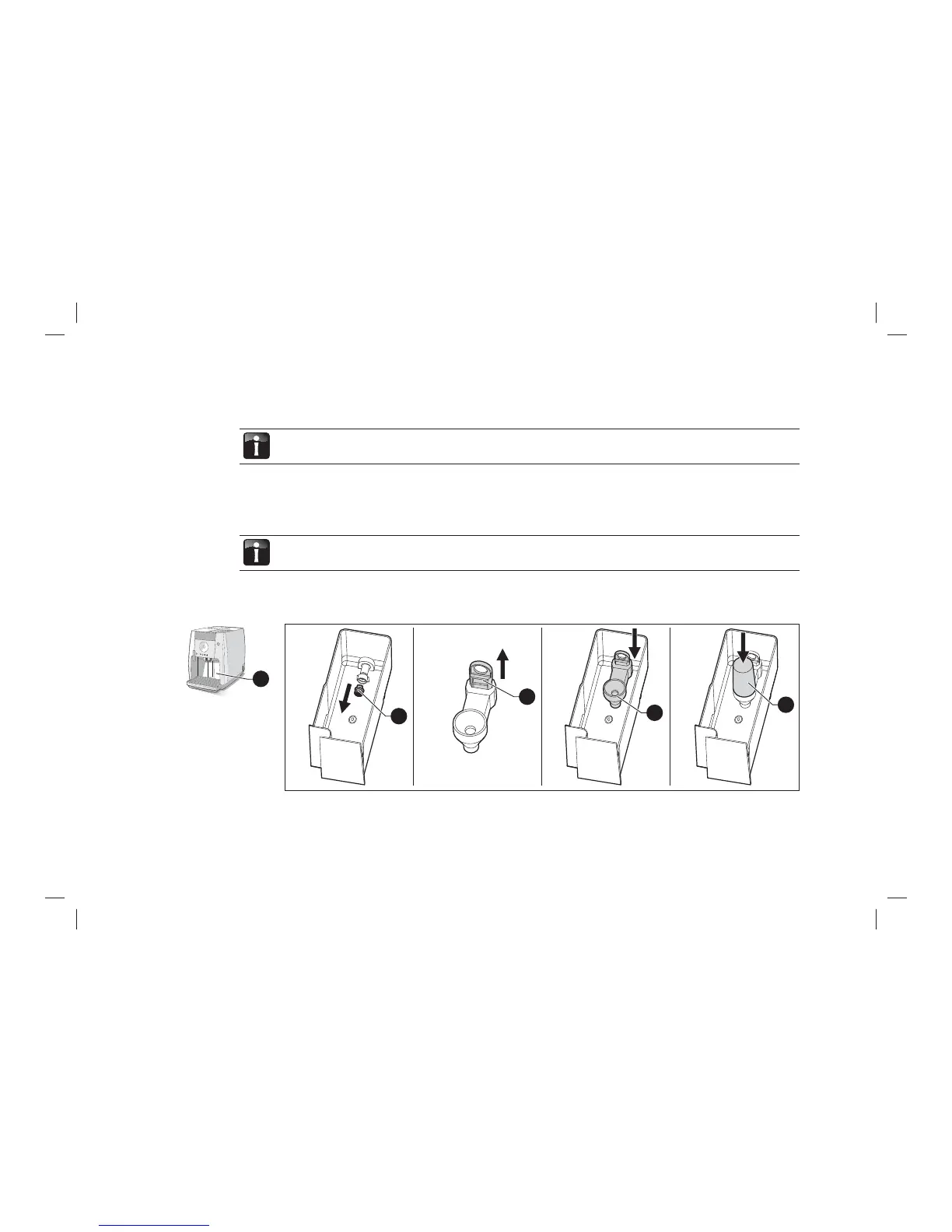
2.4 Insert the WMF water fi lter
The optional WMF water fi lter protects your automatic coffee machine from scaling.
There is no need for a water fi lter if the water hardness range is between 0 and 4.
> Remove the water tank from the automatic coffee machine.
> Remove the water fi lter accessory parts from the coffee grounds container.
6a
6b
6d
6c
> Remove the sieve (6a) from the water tank and put in a safe place.
> Pull the locking device (6b) on the cartridge adapter upwards.
6



 To Next Page