Messages and instructions
Chapter 8 Messages and instructions
8.1 Messages for operation
Error number
(w Software w Settings w Operating options)
Normal: all messages are shown on the display.
Symbol: messages that require immediate action are
shown on the display.
All other messages are displayed as symbol .
Touch the symbol
All messages are displayed.
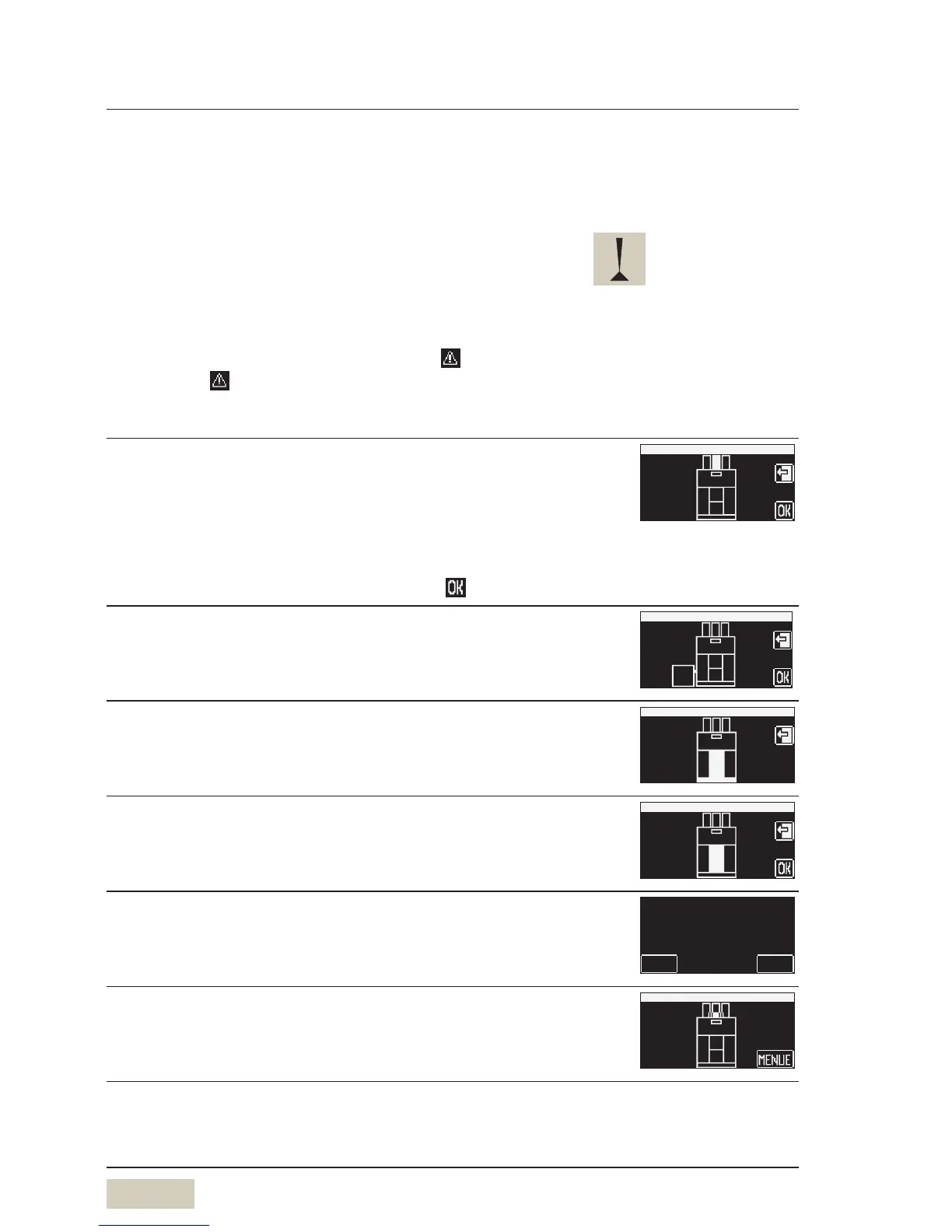
Refill beans
Top up bean hopper (refer to display)
Check:
• Is the product hopper lock open?
w Care
• Beans do not feed through
Stir with alarge spoon and confirm with
Grounds container emptied?
Confirm that the grounds container has indeed been
emptied
Ground container
really emptied?
Please confirm
no
yes
Manual insert open
Close the manual insert lid
With illumination (optional):
messages that require immediate
action are accompanied by
flashing side illumination.


 To Next Page