3064202_201602 19
Ventilation unit status page
12 Ventilation unit status page
The ventilation unit status page is only displayed if a CWL Excellent is connected to the WRS.
Please note: Parallel operation in conjunction with a BML is not possible.
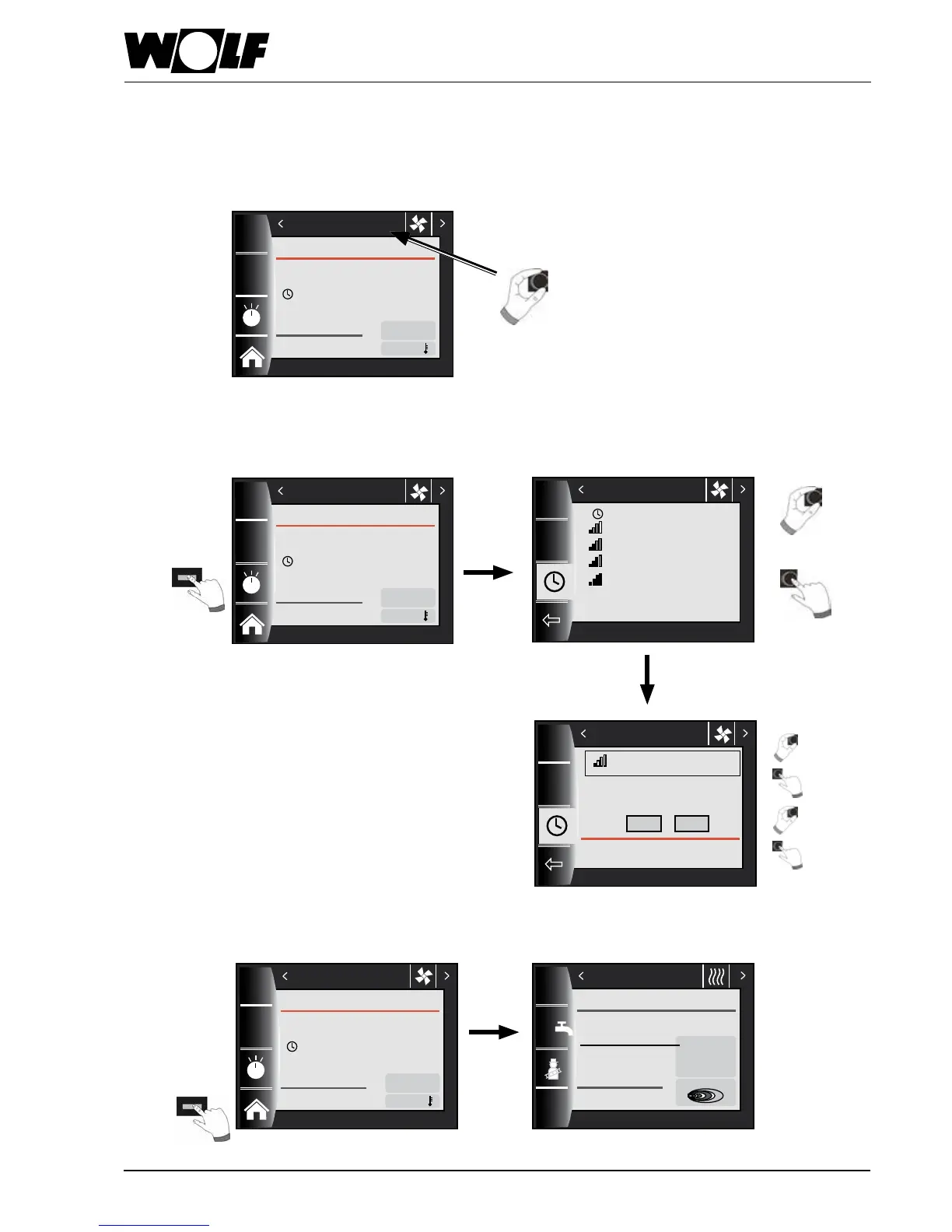
12.1 Changing the operating mode / Start - End / ON - OFF
(For description, see chapter)
For pre-programmed switching times in automatic mode,
see chapter 19.1
Return to the home page
Key 4
14:12
20.01.13
1.5 bar
25.2
°C
1 x
Pressure
Boiler temperature
Heating appliance
Heating mode
Burner ON
Home page
14:12 20.01.13
49 m³/h
Airowrate
OFF
22.2 °C
Ext. air
Ventilation unit
Key 3
Change
Conrm
Call up
Select
14:12 20.01.13
Ventilation unit
Turn to change values
Press to conrm
Start: 18.01.2014 11:03
End: 19.01.2014 12:15
OFF
ON
Tempor. moist. prot. enabled
14:12 20.01.13
Continue with rotary selector
Conrm with OK
Automatic mode
Tempor. moist. prot.
Reduced vent.
Std ventilation
Tempor. intens. vent.
Ventilation unit
14:12 20.01.13
49 m³/h
Airowrate
OFF
22.2 °C
Ext. air
Ventilation unit
Change
Conrm
14:12 20.01.13
49 m³/h
Airowrate
OFF
22.2 °C
Ext. air
Ventilation unit


 To Next Page