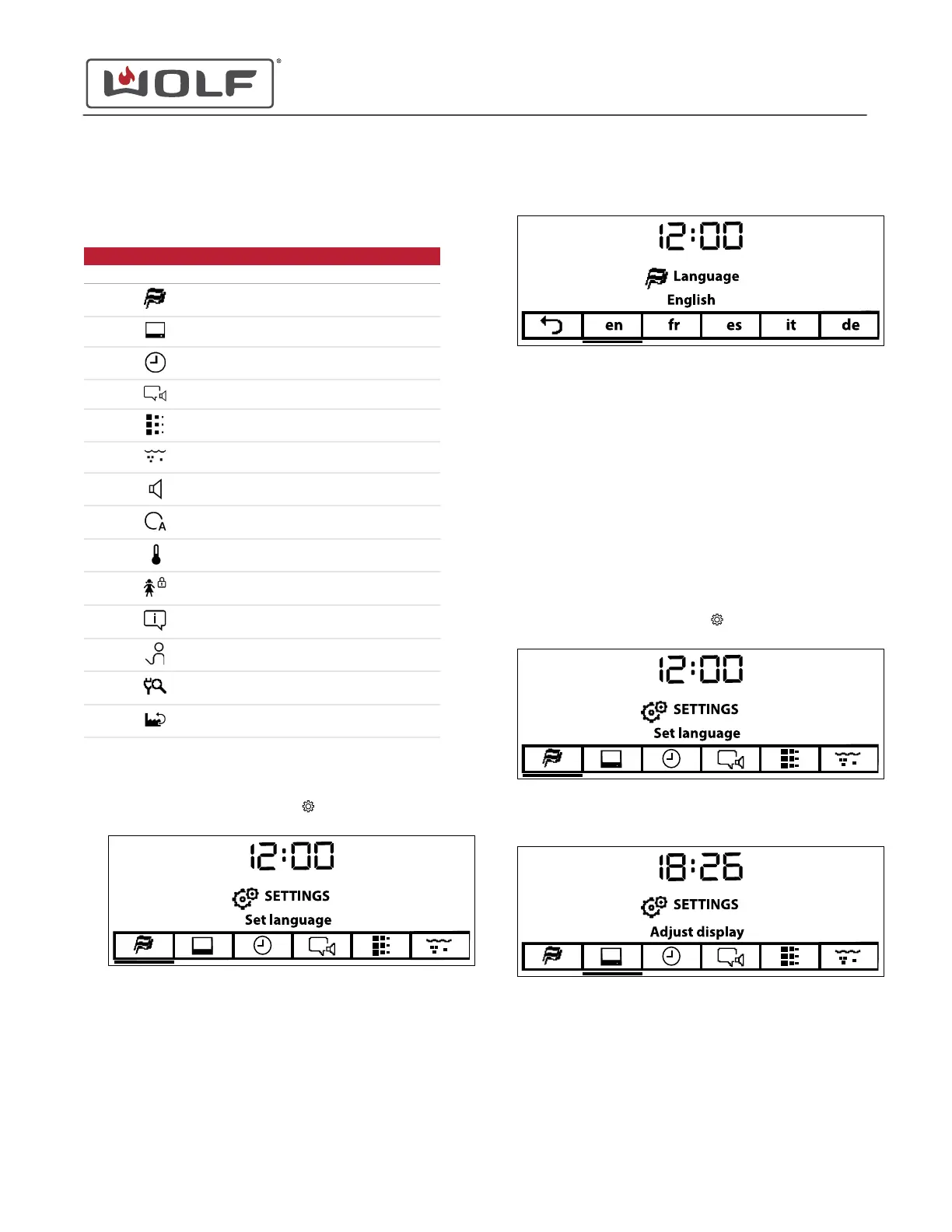
SETTINGS
The Settings menu allows the user to select preferences as
listed in the chart below.
SETTINGS
Symbol Name
Set Language
Adjust Display
Set Clock
Configure Notifications
Descale Appliance
Set Water Hardness
Set Loudness
Set Assistance Functions
Configure Temperature
Set Childproof Lock
Display Appliance Info
Demo Mode
Check Connection
Restore Factory Settings
Set the Language
1
Touch Settings twice. The Settings
menu appears.
2
Touch Enter. The Language Selection screen appears.
3 Use the arrow keys to select the desired language.
• English - en
• French - fr
• Spanish - es
• Italian - it
• German - de
• Chinese - zh
4 Touch Enter on the desired language. The Settings screen
appears.
Adjust the Contrast
1
Touch Settings twice. The Settings
menu appears.
2 Touch the right arrow key to move to Adjust Display.
CSO (SWS #13543126)
Settings
Settings (continued)
service.subzero.com
827703 REV B.1
34



 To Next Page