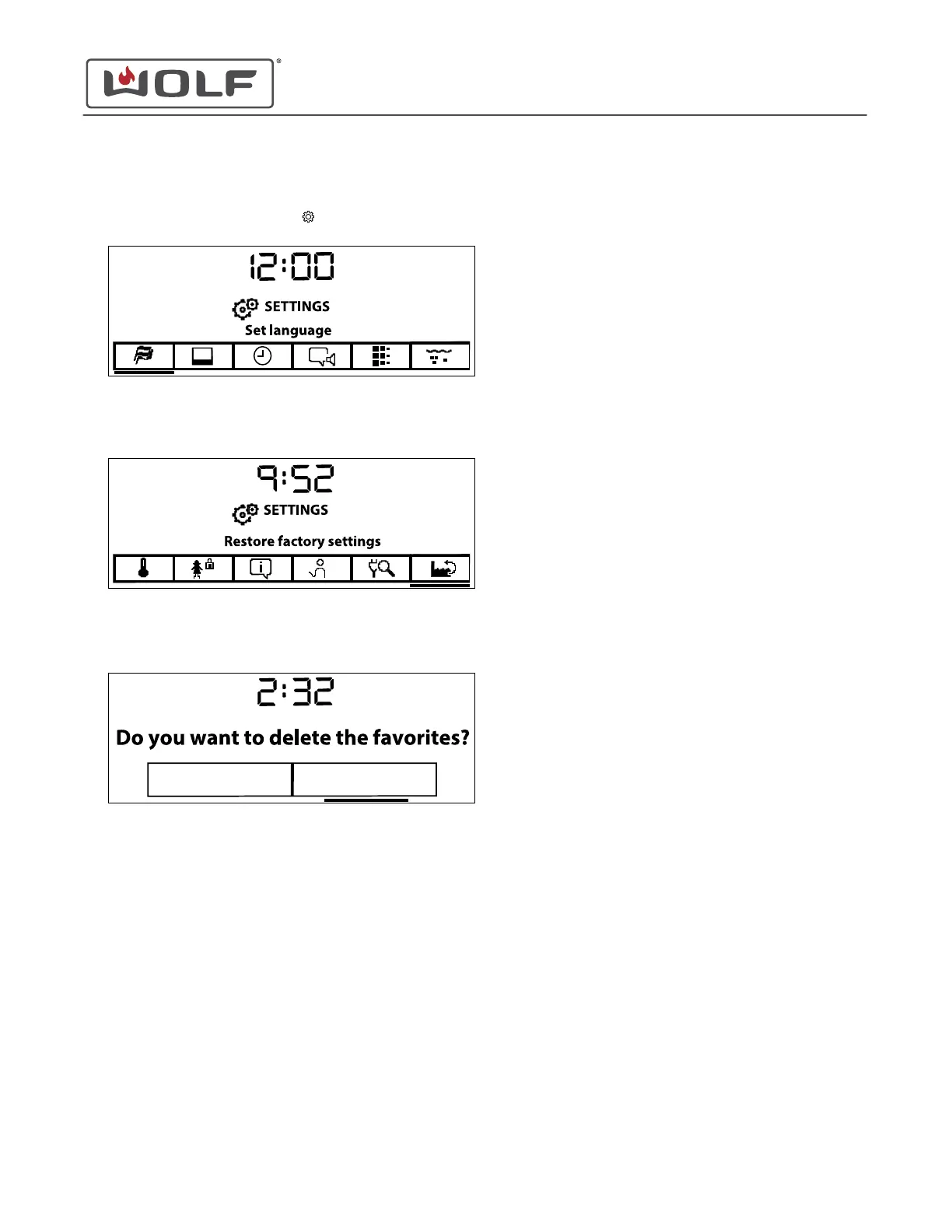
Restore Factory Settings
1
Touch Settings twice. The Settings menu appears.
2 Touch the right arrow key to move to Restore Factory
Settings.
3 Touch Enter. The Do You Want to Delete the Favorites?
screen appears.
4 In Restore Factory Settings, the Favorites and the customer
created recipes can be saved.
5 Do You Want to Delete the Favorites? appears.
1 Select Yes or No.
2 Touch Enter.
6 Do You Want to Delete your Own Recipes? appears.
1 Select Yes or No.
2 Touch Enter.
7 Do You Want to Restore the Factory Settings? appears.
1 Select Yes or No.
2 Touch Enter.
3 If Yes is selected, all settings are returned to the value
set by the factory.
CSO (SWS #13543126)
Settings
Restore Factory Settings (continued)
service.subzero.com
827703 REV B.1
47



 To Next Page