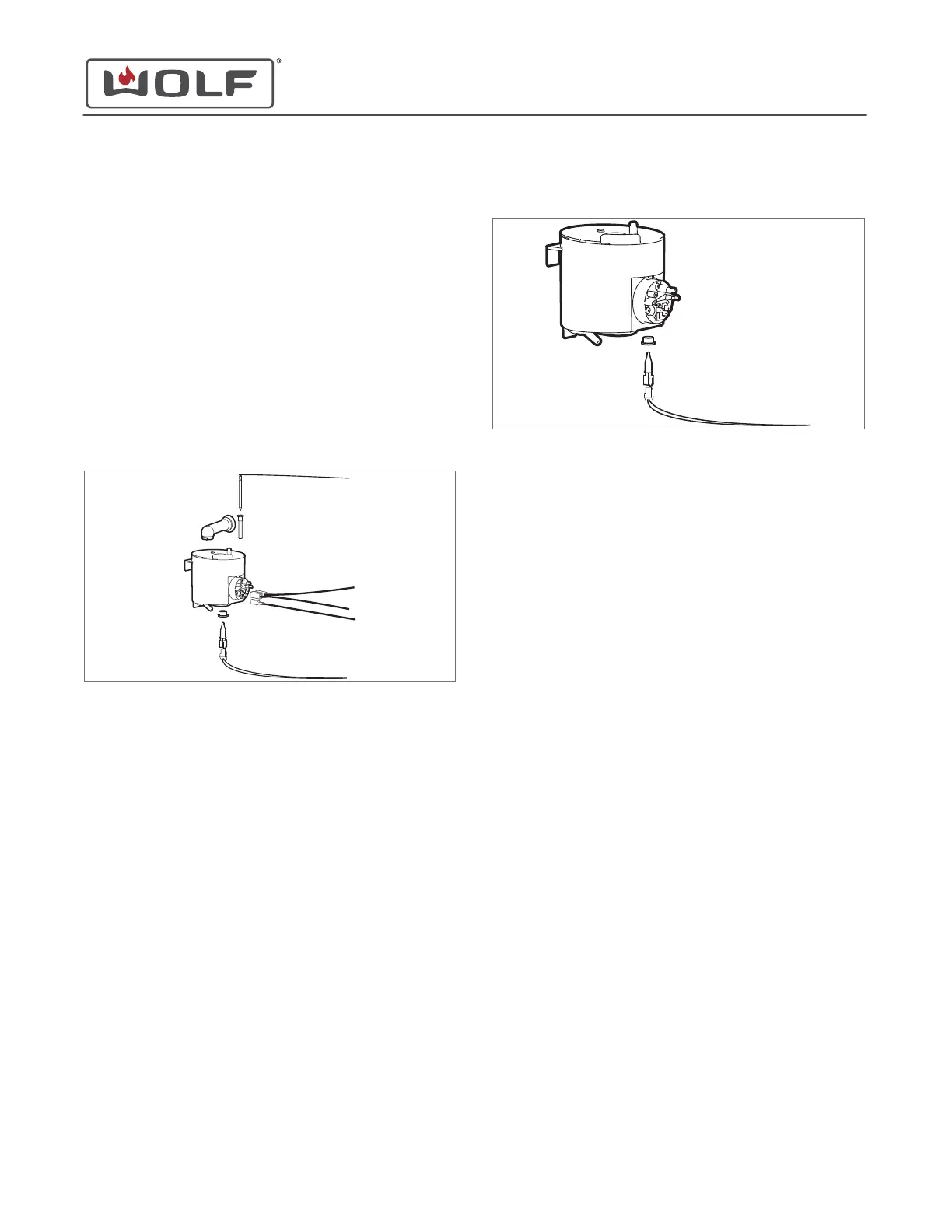
Remove the Evaporator
1 Disconnect the hose that goes to the drain pump suction.
2 Disconnect the condenser water nozzle from the
evaporator.
3 Disconnect the electrical connectors to the evaporator.
4 Disconnect the electrical connector to the level measure
pin.
5 Disconnect the electrical connector to the temperature
sensor.
6 Use a flat-blade screwdriver to press in the tab above the
evaporator.
7 Lift the evaporator from the retaining brackets.
8 Remove the evaporator from the unit.
Remove the Temperature Sensor 100C
TIP: Do not replace the temperature sensor 100C without a
new grommet.
1 Disconnect the electrical connectors to the temperature
sensor 100C.
2 Pull the temperature sensor 100C out of the grommet.
3 Use a flat-blade screwdriver to pry the grommet from the
evaporator.
4
Remove the temperature sensor 100C and grommet from
the unit.
TEMPERATURE SENSOR 100C INSTALLATION
Install the Temperature Sensor 100C
1 Insert the grommet into the evaporator.
2 Insert the temperature sensor 100C through the grommet
into the evaporator.
3 Connect the electrical connector to the temperature sensor
100C.
Install the Evaporator
1 Connect the electrical connector to the temperature sensor.
2 Insert the evaporator into the retaining tabs on the unit.
3 Use a flat-blade screwdriver to pry out the tab over the
evaporator.
4 Connect the condenser water nozzle to the evaporator.
5 Connect the hose from the evaporator to the drain pump
suction.
6 Connect the electrical connector to the level measure pin.
7 Connect the electrical connectors to the evaporator.
Install the Top Plate
1 Place the top plate on the unit.
2 Use a T-20 Torx bit to install the screws into the top plate.
CSO (SWS #13543126)
Back Component Removal and Installation
Remove the Evaporator (continued)
service.subzero.com
827703 REV B.1
81



 To Next Page