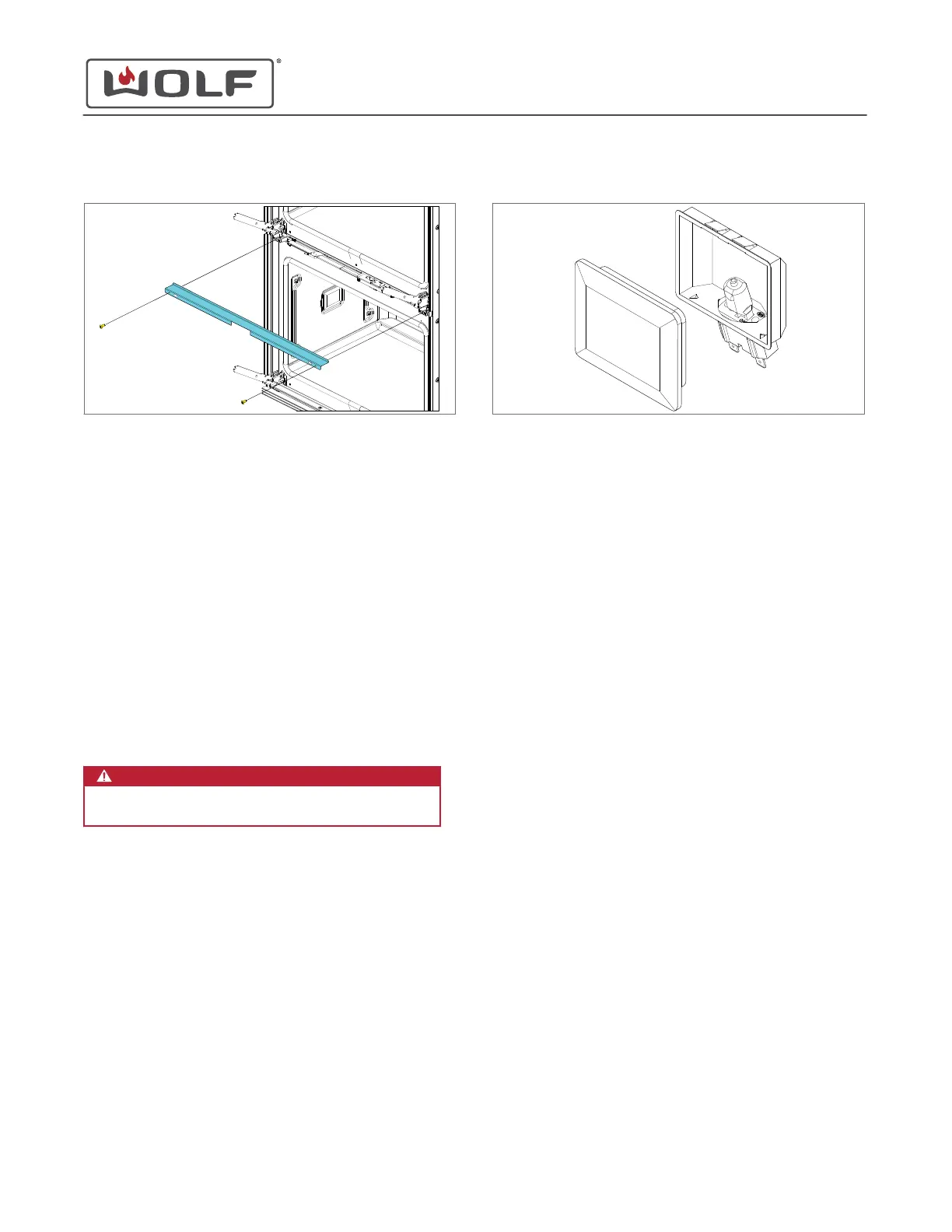
3 Remove the middle vent channel from the unit.
MIDDLE VENT CHANNEL INSTALLATION
After installing the middle vent channel, install:
1
Middle air inlet cover
2
Upper oven door
Install the Middle Vent Channel
1 Place the middle vent channel onto the unit.
2 Use a T-15 Torx bit to install the middle vent channel
mounting screws.
LIGHT BULB REMOVAL
WARNING
Disconnect the product from the power source
before starting this procedure.
Remove the Light Bulb
1 Use a small flat-blade screwdriver to pry the light cover
from the light assembly.
2 Remove the light cover.
3 Use a clean dry cloth to pull the halogen bulb toward the
rear of the cavity.
4
Remove the halogen bulb.
LIGHT BULB INSTALLATION
Install the Light Bulb
TIP: Use a cloth to install the halogen light bulb. Oil from
fingers shortens the life of the halogen light bulb.
1 Insert the halogen bulb into the socket.
2 Install the light cover.
COVER COLLAR REMOVAL
To remove the cover collar, first remove:
1
Oven door
2
Upper air inlet cover
on single oven or upper oven of double
oven;
middle air inlet cover
for lower oven of double oven
Remove the Cover Collar
1 Use a T-20 Torx bit to remove the screws.
2 Pull the top of the cover collar forward.
3 Thread the lower part of the cover collar over the hinges.
E Series Oven
Cavity Component Removal and Installation
REMOVE THE MIDDLE VENT CHANNEL (continued)
service.subzero.com
829345 REVA
48



 To Next Page