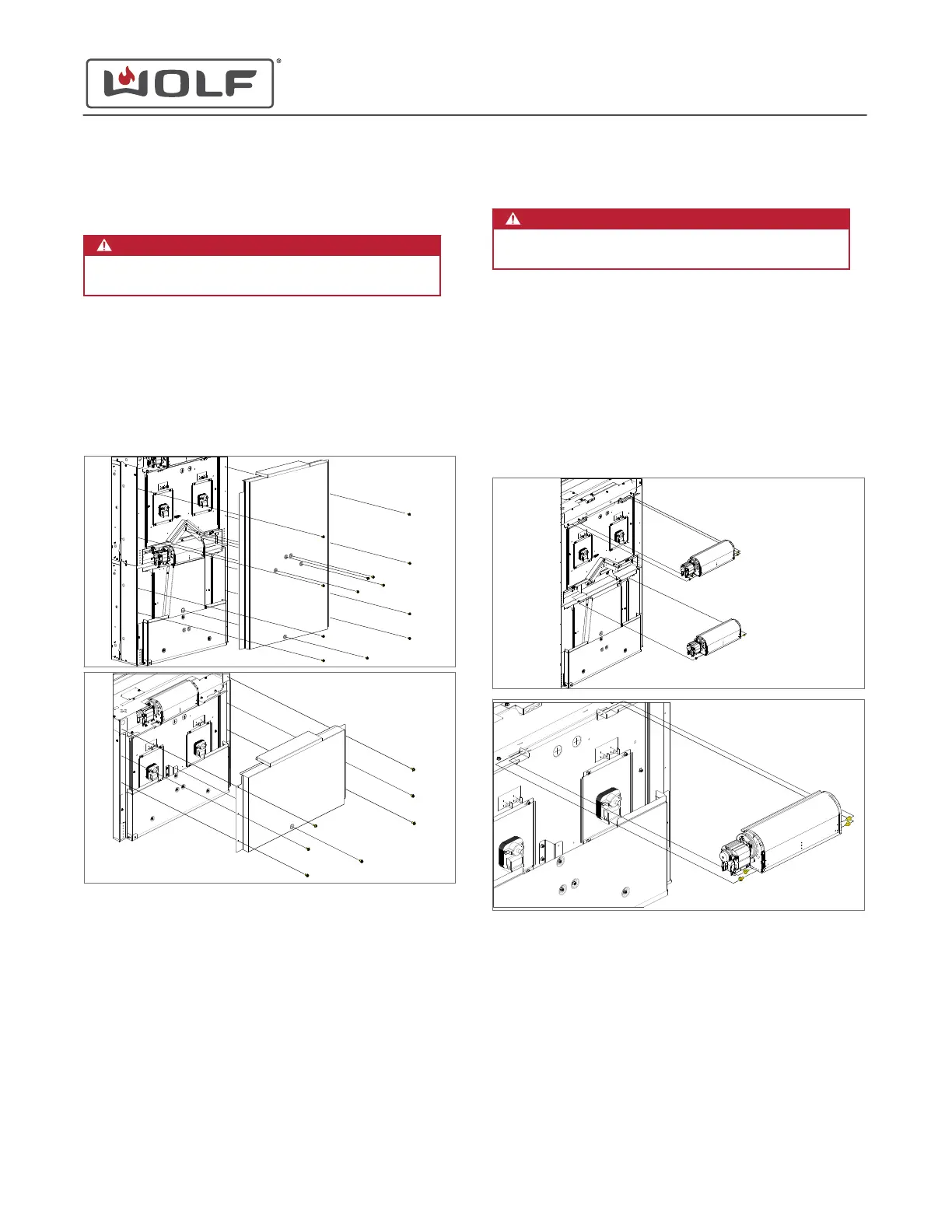
UPPER BACK COVER REMOVAL
WARNING
Disconnect the product from the power source
before starting this procedure.
To remove the upper back cover, first
uninstall the unit
.
Remove the Upper Back Cover
1 Use a T-20 Torx bit to remove the screws from the upper
back cover.
2 Remove the upper back cover from the unit.
UPPER BACK COVER INSTALLATION
After installing the upper back cover,
install the unit
.
Install the Upper Back Cover
1 Place the upper back cover onto the unit.
2 Use a T-20 Torx bit to install the screws into the upper back
cover.
COOLING FAN REMOVAL
WARNING
Disconnect the product from the power source
before starting this procedure.
To remove the cooling fan, first
uninstall the unit
. Then remove:
1
Upper back cover
Remove the Cooling Fan
1 Use a
1
/
4
" socket to remove the cooling fan mounting
screws.
2 Disconnect the wire harnesses from the cooling fan.
3 Remove the cooling fan from the unit.
COOLING FAN INSTALLATION
After installing the cooling fan, install:
1
Upper back cover
Then
install the unit
.
E Series Oven
Rear Component Removal and Installation
REAR COMPONENT REMOVAL AND INSTALLATION
service.subzero.com
829345 REVA
55


 To Next Page
 Loading...









