English
5
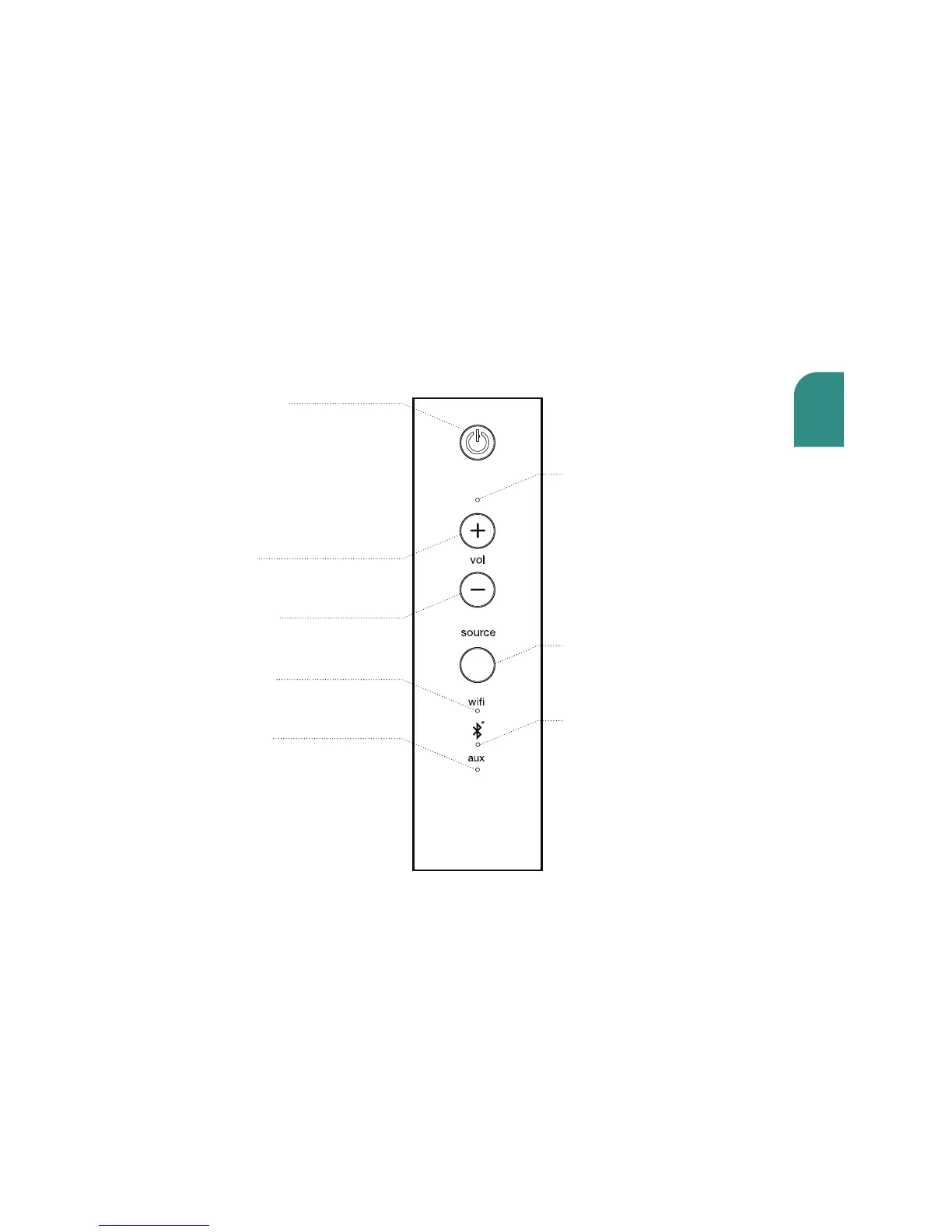
Speaker Controls
Power/Standby
Powers on and o the Wren speaker.
White light indicates power is on;
amber light indicates volume is muted.
To turn on, press and release the Power
button; to turn o, press and hold the
Power button for seven seconds.
Volume Up
Increases the volume.
Volume Adjustment Indicator
Flashes to indicate volume being
adjusted.
Volume Down
Decreases the volume.
Wifi Indicator
Indicates WiFi audio source
is selected.
Aux (3.5mm)
Source Indicator
Indicates Aux audio source is
selected.
Source Selector
Selects the desired audio
input source.
Bluetooth Indicator
Indicates Bluetooth
audio source is selected.



 To Next Page