20
If you have more than one Wren V5US (or other brand of Play-Fi speaker), you can
use the Play-Fi iOS App to add these speakers to your network by performing the
following steps.
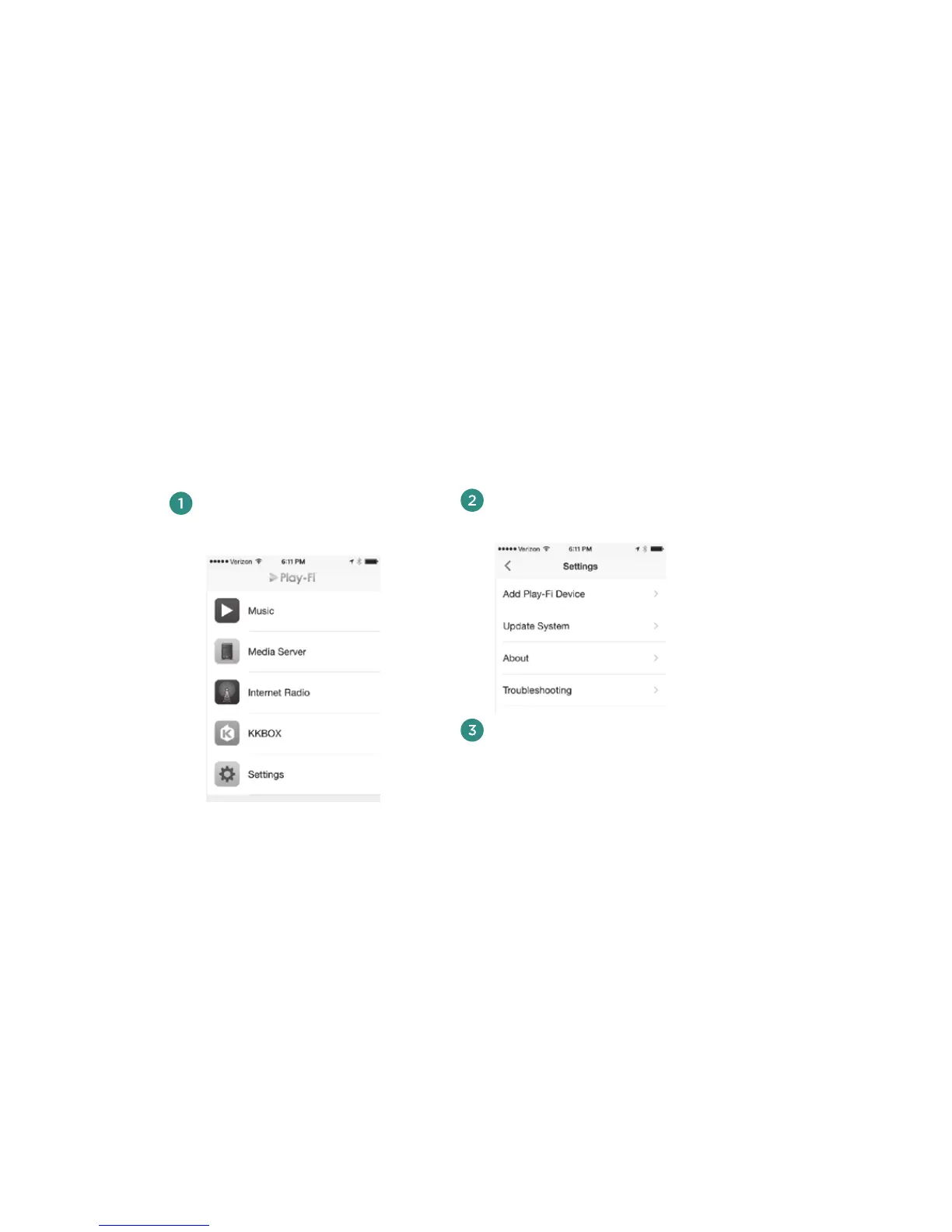
In the Play-Fi App’s main menu,
select Settings.
In the Settings menu, select Add
Play-Fi Device.
Follow the directions in the prior
section, “Connect using the Play-
Fi iOS App,” starting with step 5.
Please skip step 7, as you will already
be in the Setup mode.
Note: To use multiple Play-Fi speakers, you must use the Play-Fi App on your iOS device or AirPlay on iTunes
running on a Mac or Windows PC. AirPlay on iOS does not support the simultaneous use of multiple speakers.
Using the Play-Fi iOS App to add more
Play-Fi speakers to your network



 To Next Page