Paper and Media
54 Xerox
®
ColorQube 8580/8880 Color Printer
User Guide
Loading Paper in Tray 1
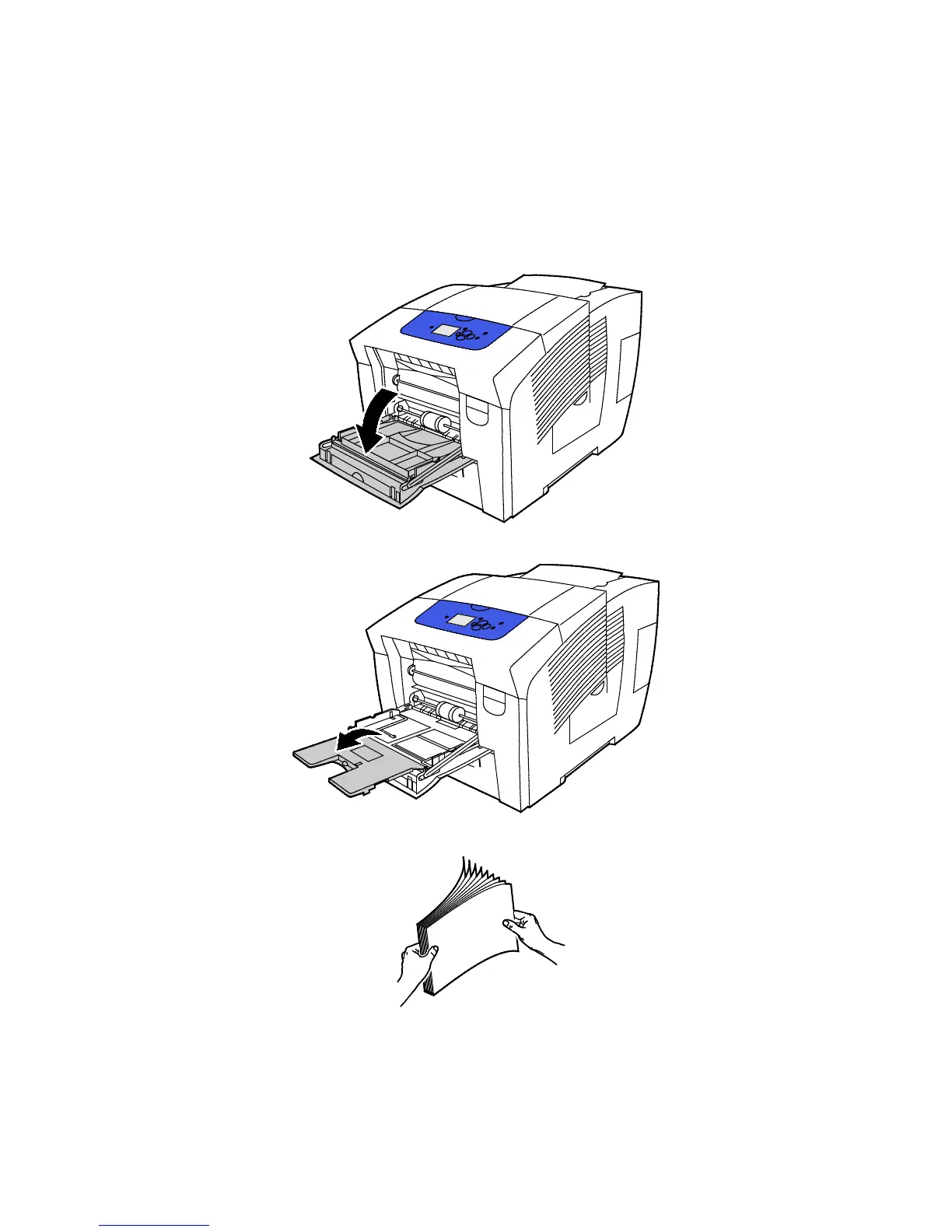
Tray 1 supports the widest variety of paper types. It is intended for small quantity jobs and jobs using
special media. The tray extension provides support for larger paper.
To load paper:
1. To open tray 1, pull the handle out and down.
2. Open the tray extension by rotating it outward.
3. Fan paper before loading it in the paper tray.



 To Next Page
 Loading...