30
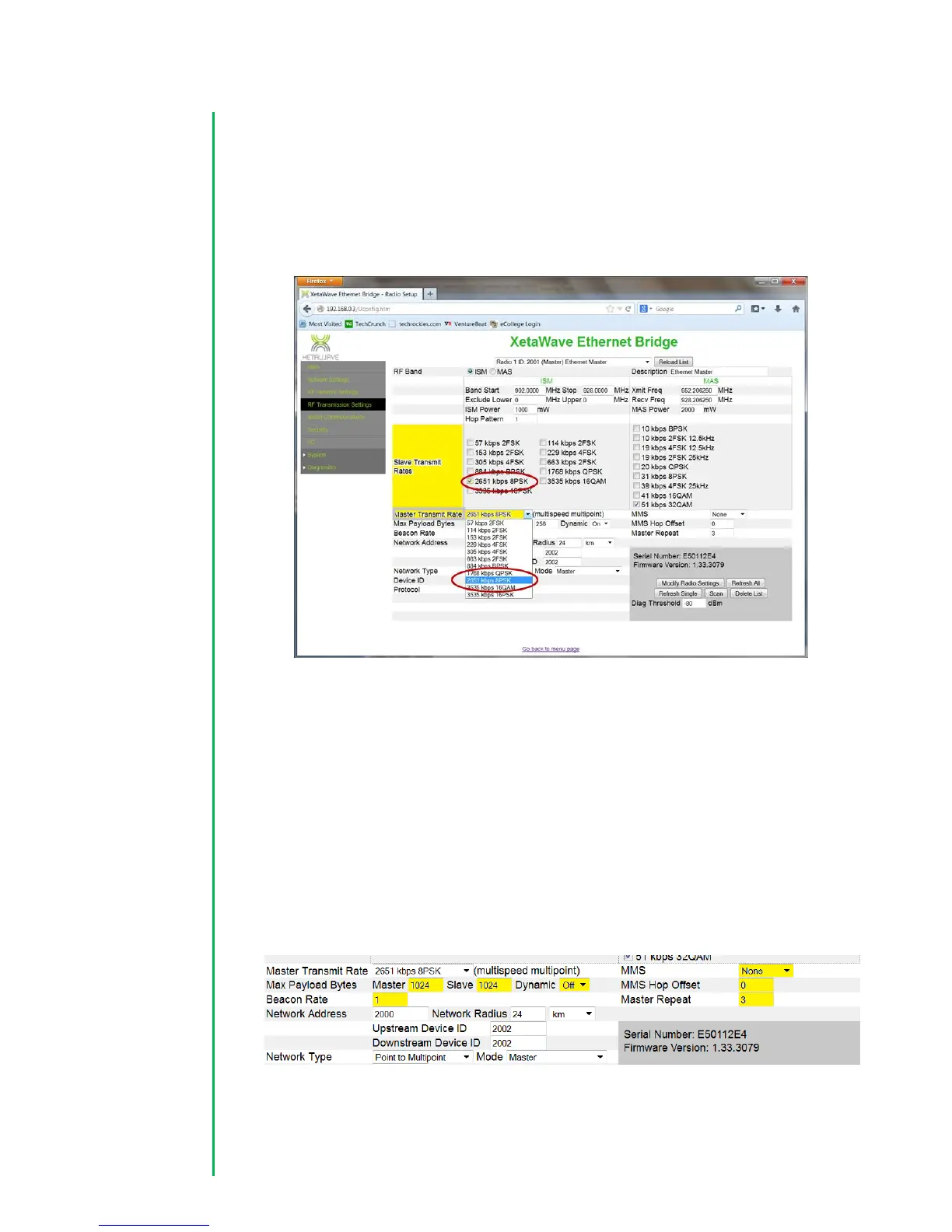
4. Configure Slave and Master Transmit rates. While XetaWave radios support
Multi-speed Multi-point, for an initial configuration, it is best to start with a
single speed for remote radios to simplify trouble shooting. The ideal setting is
a function of distance, throughput required, transmit power, and radio noise in
the area. Selecting a speed between 884 Kbps and 2.6 Mbps is often adequate
for most links.
RF Protocol Settings for an Ethernet network:
5. For an Ethernet network, set the initial “Max Payload Size” for both the
“Master” and “Slave” settings to 1024. These settings can be modified later
based on your traffic requirements. Set “Dynamic” payloads to “Off” for an ISM
network. This setting can provide some improved performance on and ISM
network, but it is not a backward-compatible setting. All radios in the network
have to have the same setting. Confirm that the “Beacon Rate” is set to 1, that
the “MMS” setting is None, “MMS Hop Offset” is set to 0, and the “Master
Repeat setting” is set to 3.


 To Next Page
 Loading...