35
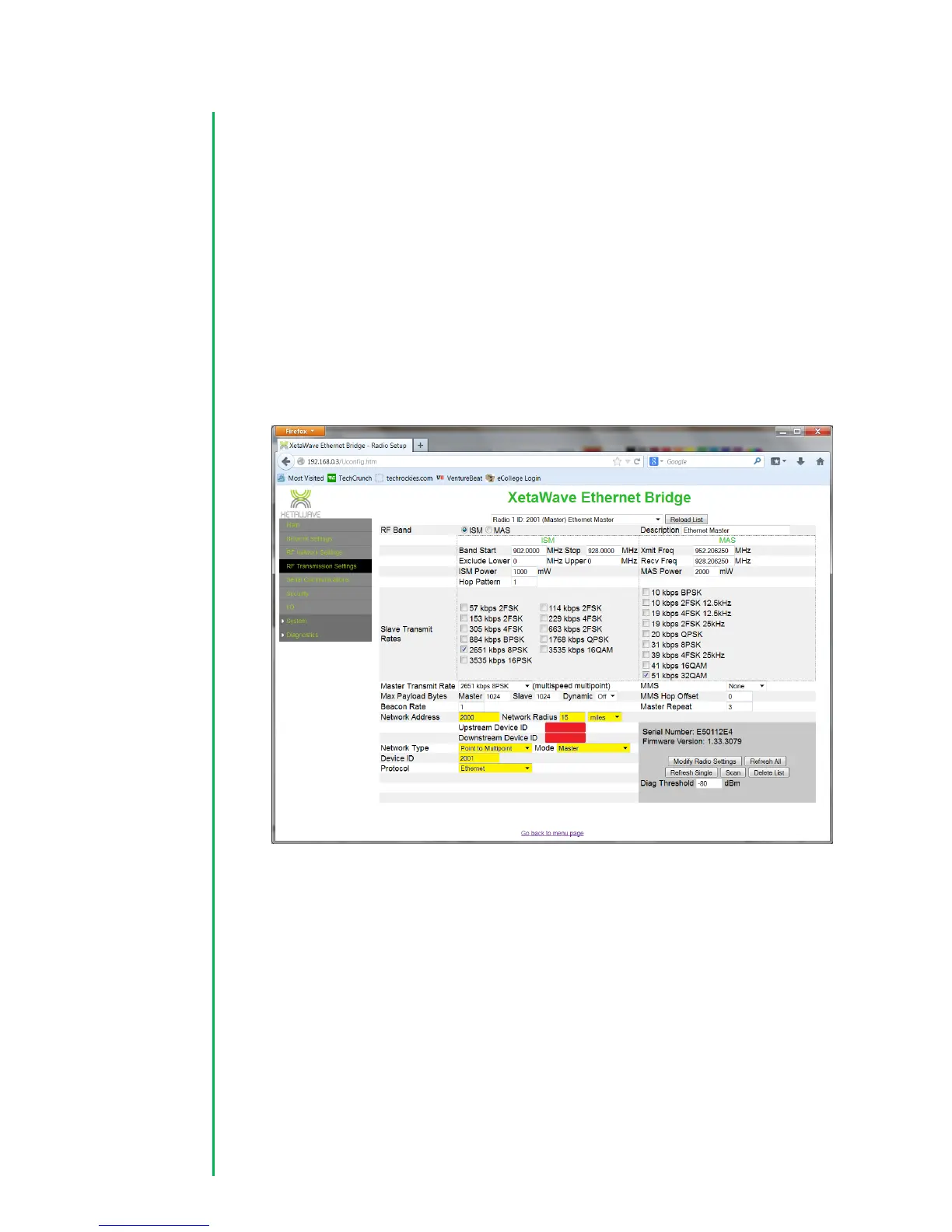
5. Configure RF Network parameters and type. The Network address is an
identifier used to allow a group of radios to communicate and exclude non-
member radios. In this example the number 2000 has been used. The
“Network Radius” indicates the maximum distance between the Master radio
and the furthest remote. The default unit is in kilometers (KM) but the units can
be expressed as miles as in the example below. The “Upstream” address should
be set to the DeviceID of the Master radio. “Downstream” Device ID’s are not
relevant for a radio configured as a Point-to-Multi-Point slave and can be
ignored. Make sure the “Network-Type” is set to “Point to Multipoint” and the
“Mode” is set to slave. Make sure the “Network-Type” is set to “Point to
Multipoint” and the “Mode” is set to slave. Finally, verify that the “Protocol” is
set to Ethernet.
RF Protocol Settings for a Serial network:
4. For a Serial network, set the initial “Max Payload Size” for both the “Master”
and “Slave” settings to 256. These settings can be modified later based on your
traffic requirements. Set “Dynamic” payloads to “ON” for an MAS network. All
radios in the network have to have the same setting. Confirm that the “Beacon
Rate” is set to 1, that the “MMS” setting is None, “MMS Hop Offset” is set to 0,
and the “Master Repeat setting” is set to 3.


 To Next Page
 Loading...