09
Issue Solution
The robot vacuum cannot
connect to Wi-Fi.
• Check whether the Wi-Fi password is
correct.
• The robot vacuum does not support
the 5 GHz network frequency band,
please connect it to a 2.4 GHz
network.
• Ensure the robot vacuum is in an
area with good Wi-Fi coverage, then
reset its Wi-Fi and reconnect it to the
network.
• There is something wrong with the
Wi-Fi connection. Reset the Wi-Fi and
download the latest version of the Mi
Home/Xiaomi Home app, then try
reconnecting.
Connecting with the Mi Home/Xiaomi Home App
This product works with the Mi Home/Xiaomi Home app*. Use the Mi
Home/Xiaomi Home app to control your device, and to interact with other smart
home devices.
Open the Mi Home/Xiaomi Home app, tap "+" on the upper right, and then follow
the instructions to add your device.
* The app is referred to as Xiaomi Home app in Europe (except for Russia). The name of the app
displayed on your device should be taken as the default.
Reseing the Wi-Fi
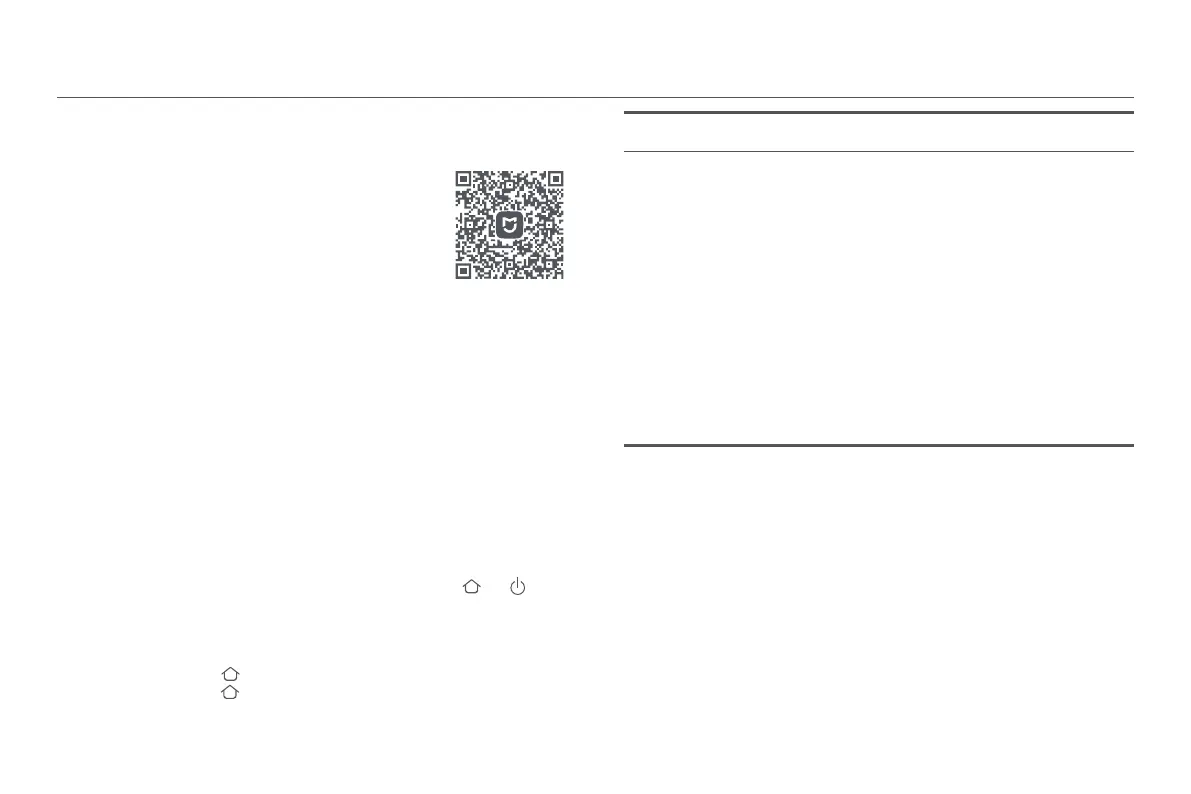
Scan the QR code to download and install the app. You
will be directed to the connection setup page if the app
is installed already. Or search for "Mi Home/Xiaomi
Home" in the app store to download and install it.
While the robot vacuum is turned on, press and hold the buons and for 7
seconds. The Wi-Fi is successfully reset when you hear a voice prompt.
Reseing the system
Press and hold the buon for 5 seconds until you hear a "beep", and then
press and hold the buon for 5 seconds again until you hear the voice prompt.
The robot vacuum then restarts, and seings like scheduled cleaning and Wi-Fi
are restored to factory defaults.
76719DE8
Notes:
• Only 2.4 GHz Wi-Fi networks are supported.
• The version of the app might have been updated, please follow the instructions based on the
current app version.
• When the robot vacuum connects with the Xiaomi Home app successfully, it connects with
the network successfully. You can have a reset of Wi-Fi to disconnect it from the network.






 To Next Page