Page 2:
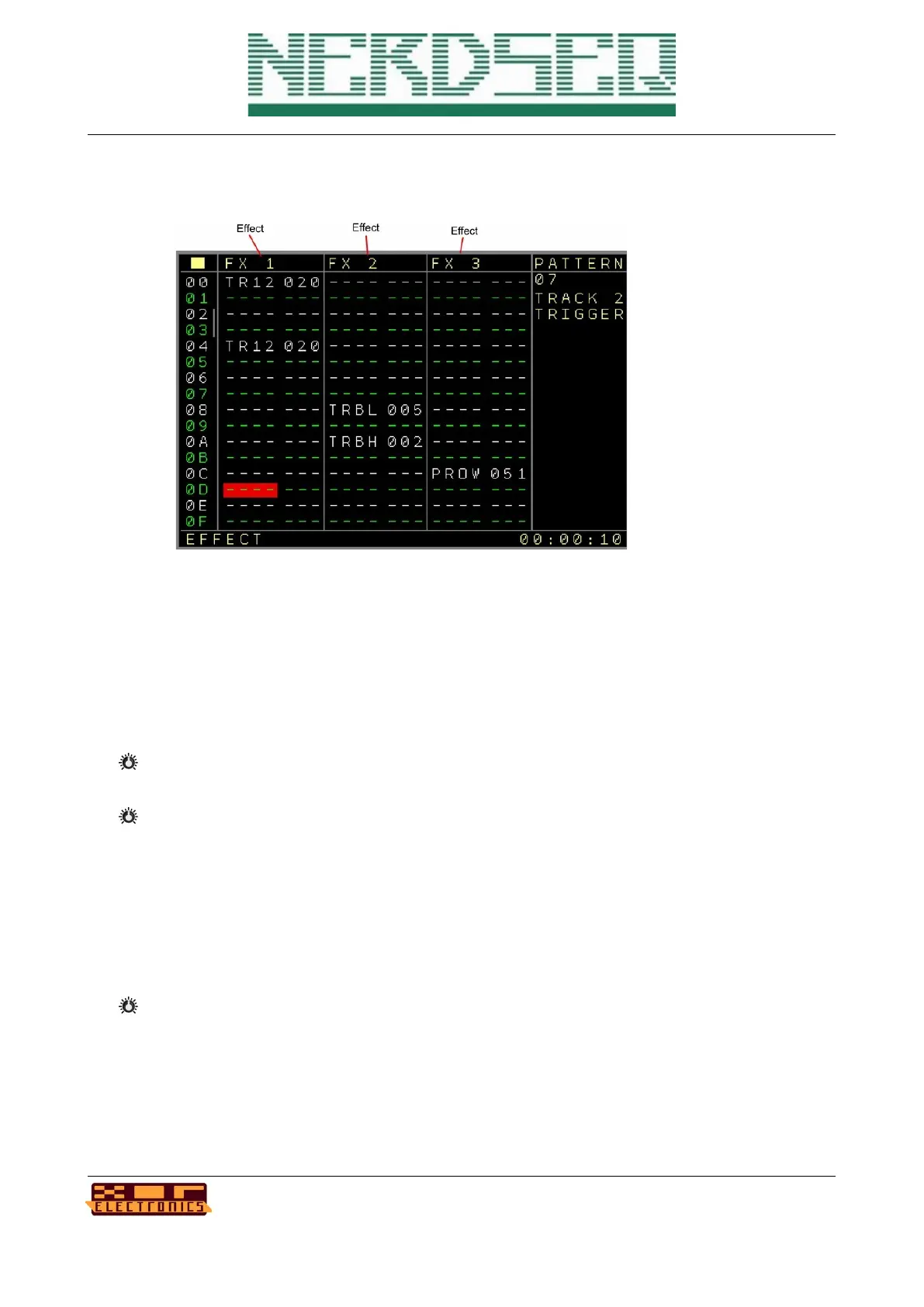
First of course again the sequencer row (up to 64).
• FX1 .. FX3 → FX columns dedicated to the More Triggers 16 expander with the following
parameters:
- TR1 .. TR16 → Trigger values, same as the regular trigger values
- TRBL → Trigger Binary Value Low, set the binary value for the first 8 Trigger outputs. The
triggers are set or reset depending on the value. This could be used for some cool dividers.
- TRBH → Trigger Binary Value High, set the binary value for the second 8 Trigger outputs
(9..16). The triggers are set or reset depending on the value.
- TREF → Trigger extra effects. Some additional trigger functions:
All Triggers/Gates Off: turns all Trigger/Gate outputs off.
Swap Outputs: Off/On. Swaps if on the 8 trigger columns to be triggers 9..16 (same as
the track setup setting but then from the sequence).
Toggle Swap Outputs: Toggles the columns between being 1..8 or 9..16
- NOTE → Plays or changes the note on the local CV+Gate output. If the first digit is 0, then
only a note change will be send to the CV output. If the first digit is 1, then a trigger (set up
in the track setup → Matrix Trigger) is also sent together with the note. The filled in notes
can currently be seen in the status bar. (subject to change)
NerdSEQ – a tracker based Eurorack sequencer Page 51
User Manual Revision V1.26 for Firmware V1.26 12 July 2022



 To Next Page