Chapter 1. Getting Started
Getting to know your iX104
24 iX104 User’s Handbook
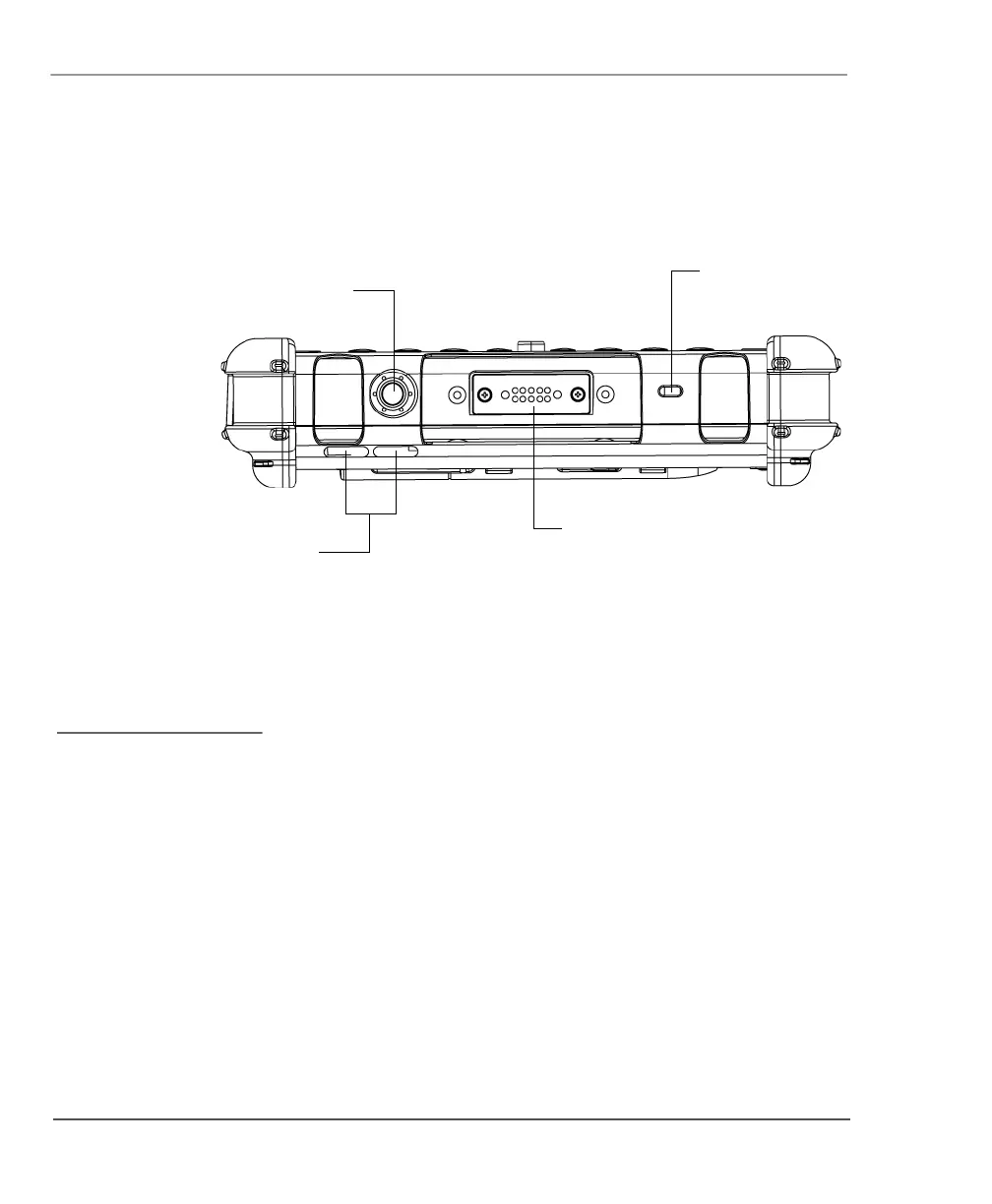
Top view
Power On/Off/Suspend/Resume key – Press the key to turn the
computer on or off, or to suspend or resume operation.
Air flow vents – Helps prevent the computer from overheating by
forcing heat away from the computer. (Do not block the vents.)
XPL expansion port – A USB port (compliant with USB Standard
Revision 1.1) that enables you to connect an XPL snap-on expansion
module for devices such as cameras, radios, and fingerprint scanners.
Kensington
™
lock slot – Connector for the optional Kensington
MicroSaver
™
-compatible security cable.
Power On/Off/
Suspend/Resume
key
air flow
vents
XPL
expansion port
Kensington
lock slot
ontact your reseller for
nformation about the XPL
xpansion module and the
ensington security cable.



 To Next Page