Xtreme Power Conversion Corporaon
TX91 3.8- 10kVA User’s Manual
Page 18
Uninterrupble Power Supply
Operang mode/status
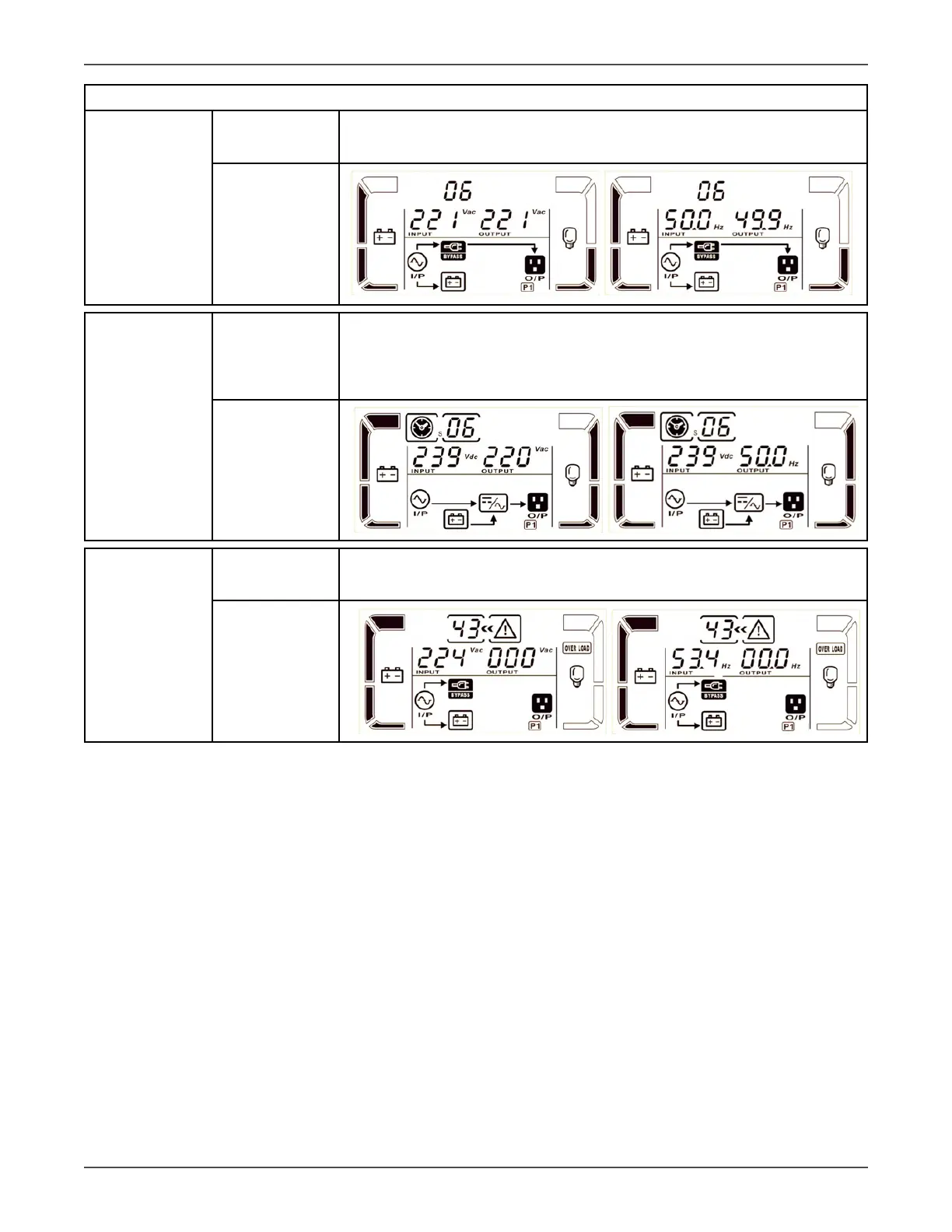
Bypass mode Descripon
When input voltage is within acceptable range and bypass is enabled, turn
o the UPS and it will enter Bypass mode. Alarm beeps every two minutes.
LCD display
Baery Test Descripon
When UPS is in AC mode or CVCF mode, press “Test” key for more than
0.5s. Then the UPS will beep once and start “Baery Test”. The line be-
tween I/P and inverter icons will blink to remind users. This operaon is
used to check the baery status.
LCD display
Fault status Descripon
When a UPS fault has happened, it will display fault messages in LCD panel.
LCD display



 To Next Page