Xtreme Power Conversion Corporaon
TX91 3.8- 10kVA User’s Manual
Page 14
Uninterrupble Power Supply
Soware Installaon
For opmal computer system protecon, install UPS monitoring soware to fully congure UPS
shutdown. Refer to included Viewpower CD.
3 Operaons
3.1 User Interface
3.1.1 Buon Operaon
Buon Funcon
ON/Enter Buon Turn on the UPS: Press and hold the buon more than 0.5s to turn on the UPS.
Enter Key: Press this buon to conrm the selecon in seng menu.
OFF/ESC Buon Turn o the UPS: Press and hold the buon more than 0.5s to turn o the UPS.
Esc key: Press this buon to return to last menu in seng menu.
Test/Up Buon Baery test: Press and hold the buon more than 0.5s to test the baery while in AC
mode, or CVCF mode.
UP key: Press this buon to display next selecon in seng menu.
Mute/Down Buon Mute the alarm: Press and hold the buon more than 0.5s to mute the buzzer. Please refer
to secon 3-4-9 for details.
Down key: Press this buon to display previous selecon in seng menu.
Test/Up + Mute/
Down Buon
Press and hold the two buons simultaneous more than 1s to enter/escape the seng
menu.
* CVCF mode means converter mode.
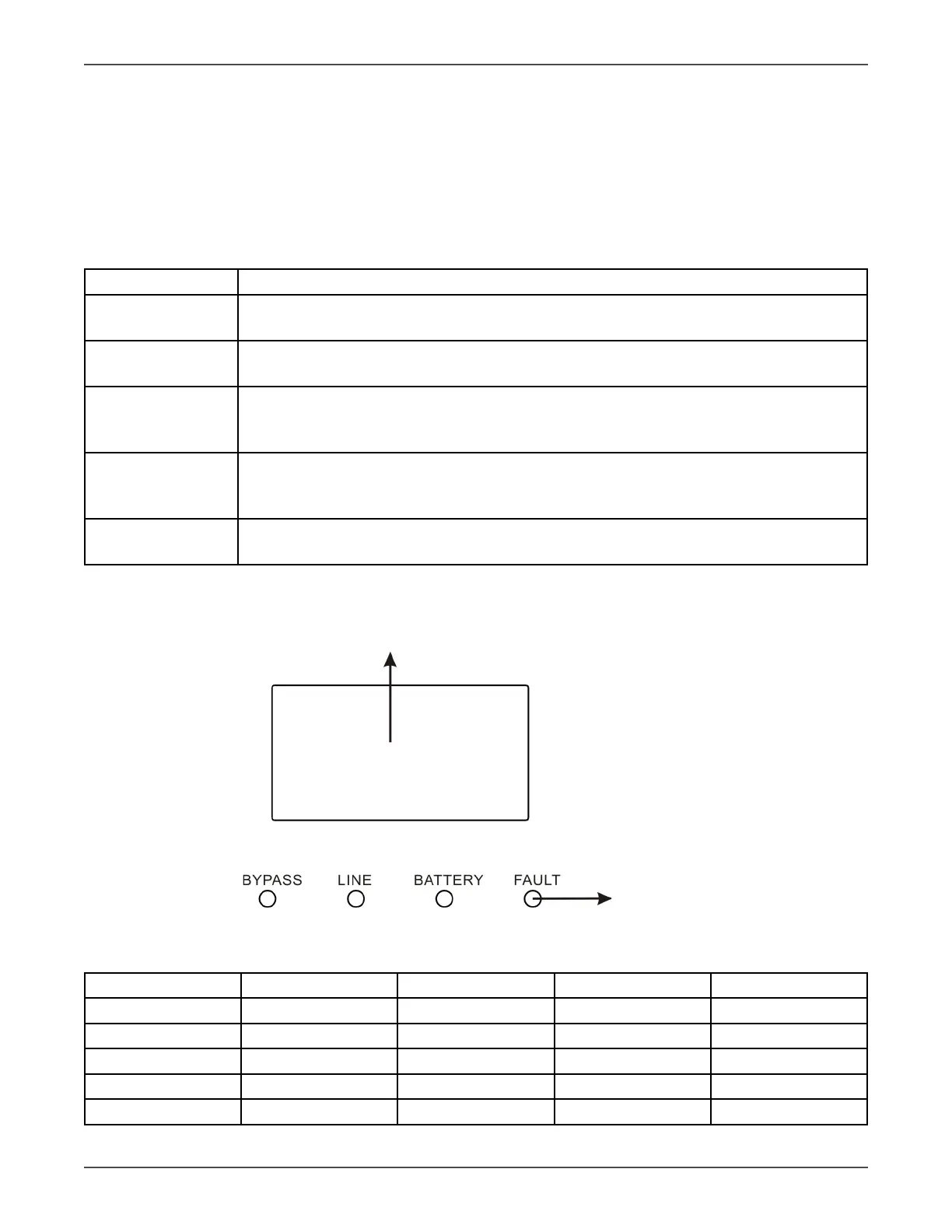
3.1.2 LED Indicators
LCD Panel
LED indicators
LED Indicators:
There are 4 LEDs on front panel to show the UPS working status:
Mode LED Bypass Line Baery Fault
UPS Startup ● ● ● ●
No Output mode ○ ○ ○ ○
Bypass mode ● ○ ○ ○
AC mode ○ ● ○ ○
Baery mode ○ ○ ● ○



 To Next Page