Xtreme Power Conversion Corporaon
TX91 3.8- 10kVA User’s Manual
Page 31
Uninterrupble Power Supply
4.4 Troubleshoong Chart
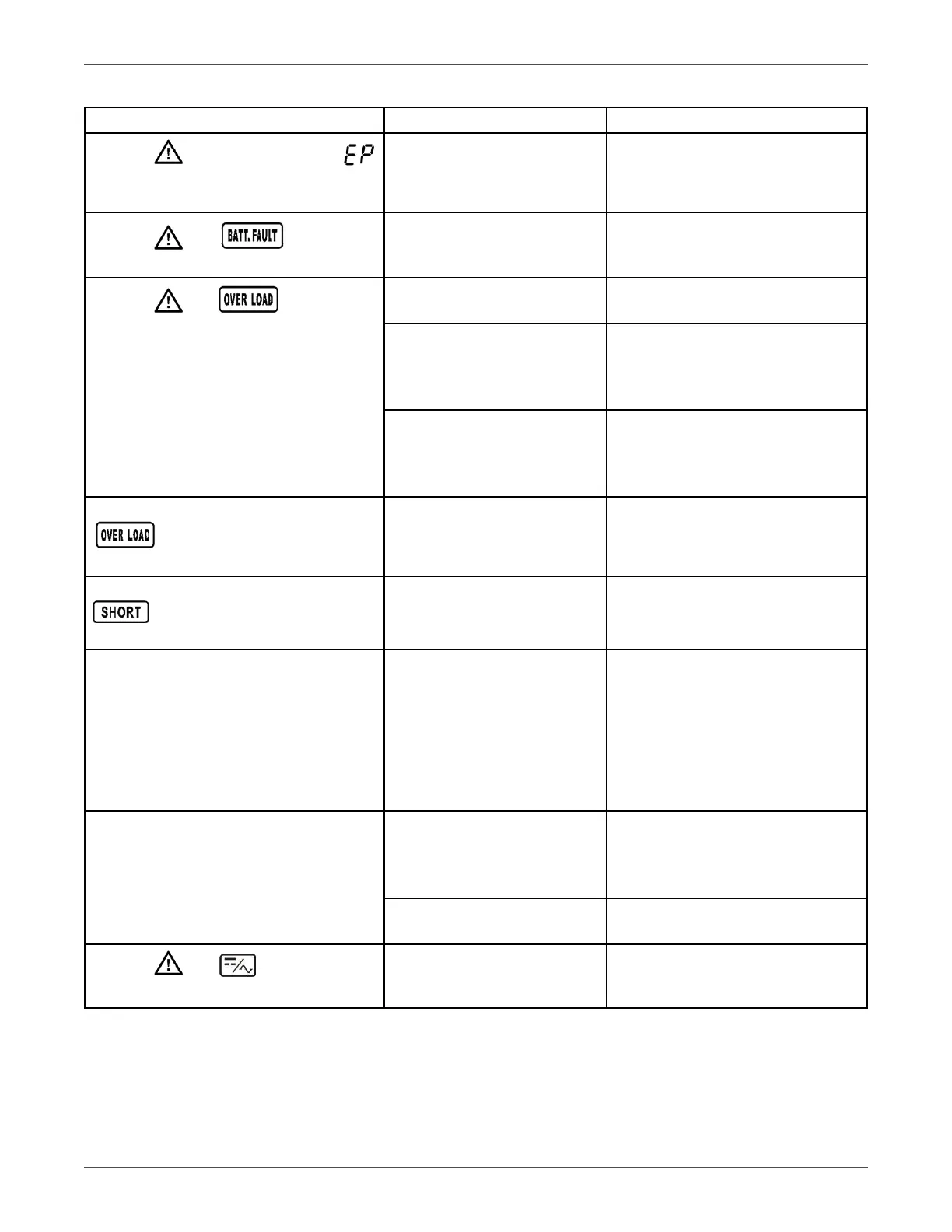
Symptom Possible cause Remedy
The icon and the warning code
ash on LCD display and alarm beeps
every second.
EPO funcon is enabled.
Set the circuit in closed posion to
disable EPO funcon.
The icon and ash on LCD
display and alarm beeps every second.
The external or internal baery
is incorrectly connected.
Check if all baeries are connected
well.
The icon and ash on LCD
display and alarm beeps twice every
second.
UPS is overloaded.
Remove excess loads from UPS
output.
UPS is overloaded. Devices
connected to the UPS are
fed directly by the electrical
network via the Bypass.
Remove excess loads from UPS
output.
Aer repeve overloads, the
UPS is locked in the Bypass
mode. Connected devices are
fed directly by the mains.
Remove excess loads from UPS out-
put rst. Then shut down the UPS
and restart it.
Fault code is shown as 43. The icon
lights on LCD display and alarm
beeps connuously.
UPS is overload too long and
becomes fault. Then UPS shut
down automacally.
Remove excess loads from UPS
output and restart it.
Fault code is shown as 14, the icon
lights on LCD display, and alarm
beeps connuously.
The UPS shut down automa-
cally because short circuit oc-
curs on the UPS output.
Check output wiring and if con-
nected devices are in short circuit
status.
Fault code is shown as 01, 02, 03, 04, 11,
12, 13, 14,1A, 21, 24, 35, 36, 41, 42 or 43
on LCD display and alarm beeps connu-
ously.
A UPS internal fault has oc-
curred. There are two possible
results:
1. The load is sll supplied,
but directly from AC power via
bypass.
2. The load is no longer sup-
plied by power.
Contact your dealer.
Baery backup me is shorter than
nominal value
Baeries are not fully charged
Charge the baeries for at least 7
hours and then check capacity. If
the problem sll persists, consult
your dealer.
Baeries defect Contact your dealer to replace the
baery.
The icon and ash on LCD
display and alarm beeps every second.
Fan is locked or not working;
or the UPS temperature is too
high.
Check fans and nofy dealer.



 To Next Page