9460/9460KP/9462/9462KP System Manual
2-2
Perform the following steps before starting the system tests:
1. Place the CPU board jumpers and switches to the factory set positions. Refer to your
CPU manual for these settings.
2. Plug the female end of the AC power cable into the side of the unit and the male end
into a properly grounded outlet.
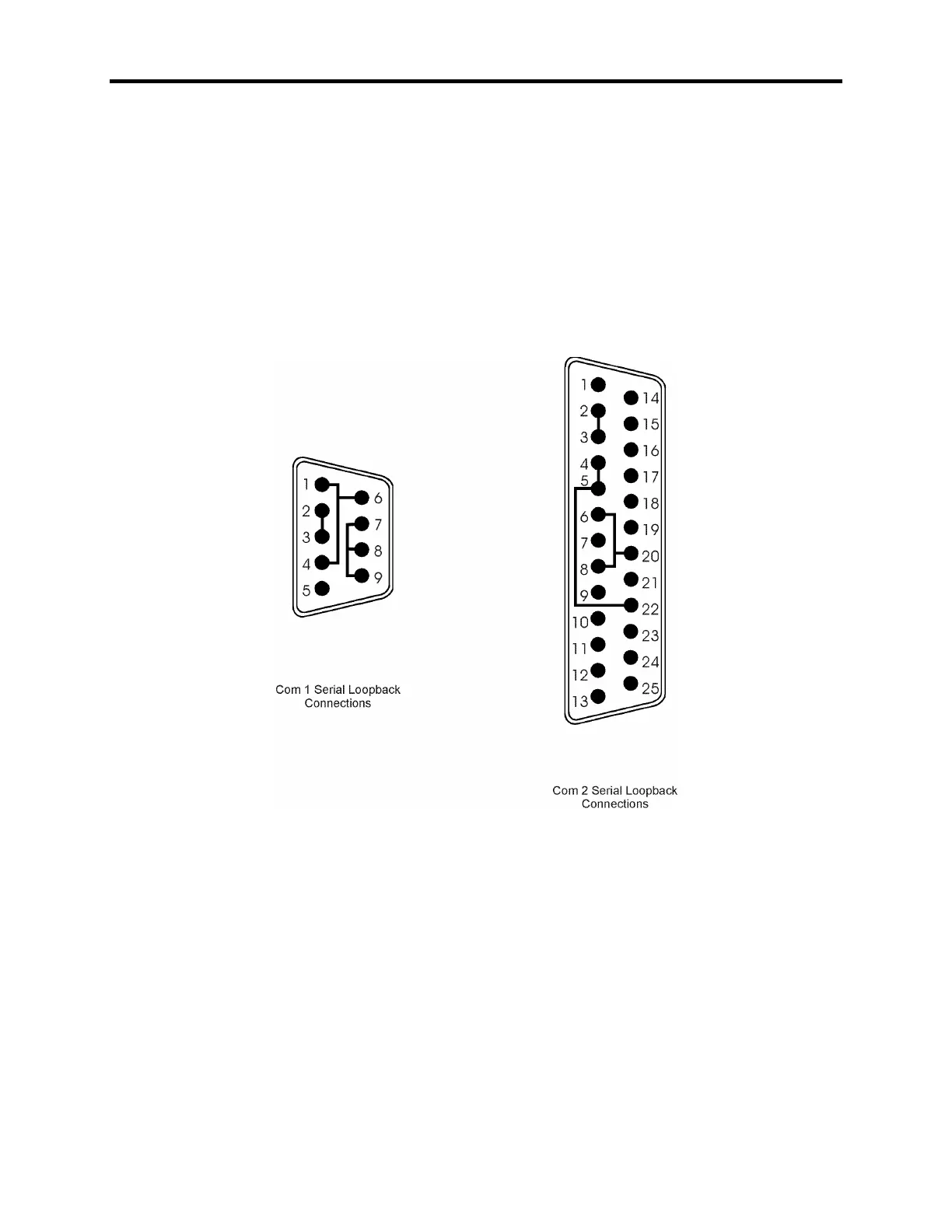
3. Connect the serial loopback connector(s) and the printer cable to the appropriate con-
nectors and connect a PC/AT or PS/2 keyboard. Figure 2-1, Serial Loopback Con-
nections, illustrates the wiring necessary for the loopback connection.
4. Default the CMOS setup to the factory settings.
Figure 2- 1. Serial Loopback Connections



 To Next Page