Chapter 3 – Installation
3-7
Feature Description
External Floppy Disk Drive (Optional) You can install an external floppy disk drive to the back of the
system. Front access options are also available.
Power Panel
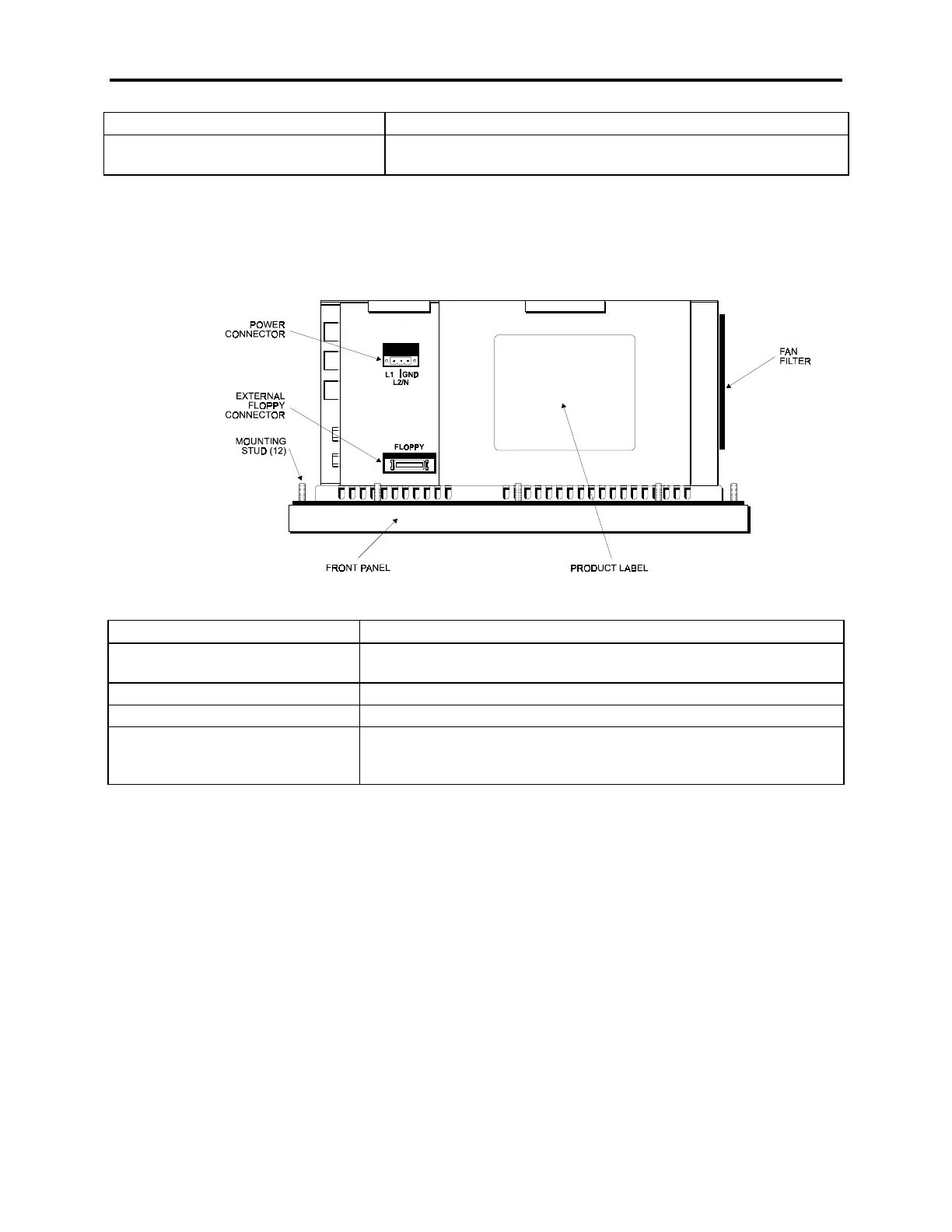
Figure Chapter 3 -5 illustrates the bottom panel.
Figure Chapter 3 -5. Bottom Panel with Power Connector and External Floppy Connector
Feature Description
Power Connector This is a three-pin connector. Refer to the special hazardous loca-
tion installation instructions later in this chapter.
External Floppy Drive Connector This is a 26-pin connector.
Product ID Label The product ID label is located on the bottom panel
Fan and Filter Figure Chapter 3 -5 shows the position of the fan and filter assem-
bly. The filter can be replaced or removed for cleaning. See Chapter
4 for details on the fan filter assembly.



 To Next Page