9460/9460KP/9462/9462KP System Manual
3-10
If you wish to relocate the floppy drive to the front of the computer module, you must in-
stall the 9000-FFK Front Floppy Kit, which includes a front access keyboard port. The
floppy drive access door is provided for installations using the 9000-RFC Rack Filler
Plate with Cutout, or panel mount installations that provide a cutout for the front
mounted floppy drive.
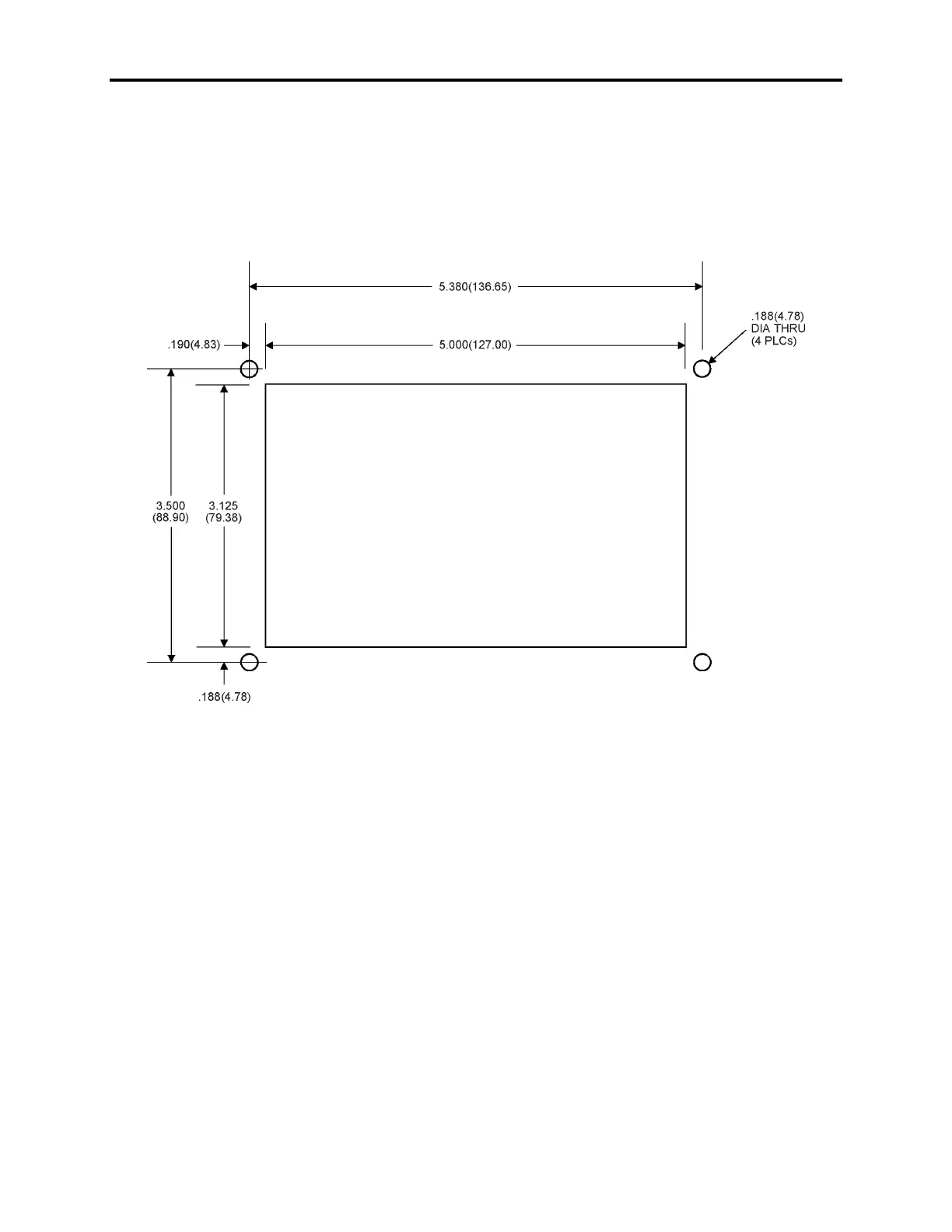
Figure Chapter 3 -6 provides the cutout dimensions for the 9000-FFK (optional front
mounted floppy drive).
Figure Chapter 3 -6. Front Mounted Floppy Cutout Dimensions
Mount the floppy drive access door to the rack filler plate or the panel, using the four
mounting nuts, as shown in Figure Chapter 3 -7. Torque the nuts to 35 in/lb. (3.95 NM).



 To Next Page