Appendix D – Replacing Flat-Panel Display Bulbs
D-5
9.
Gently lift the right side of the flat-panel display, and disconnect the data interface
connector.
10.
Lay the flat-panel display faceup on a flat surface.
11.
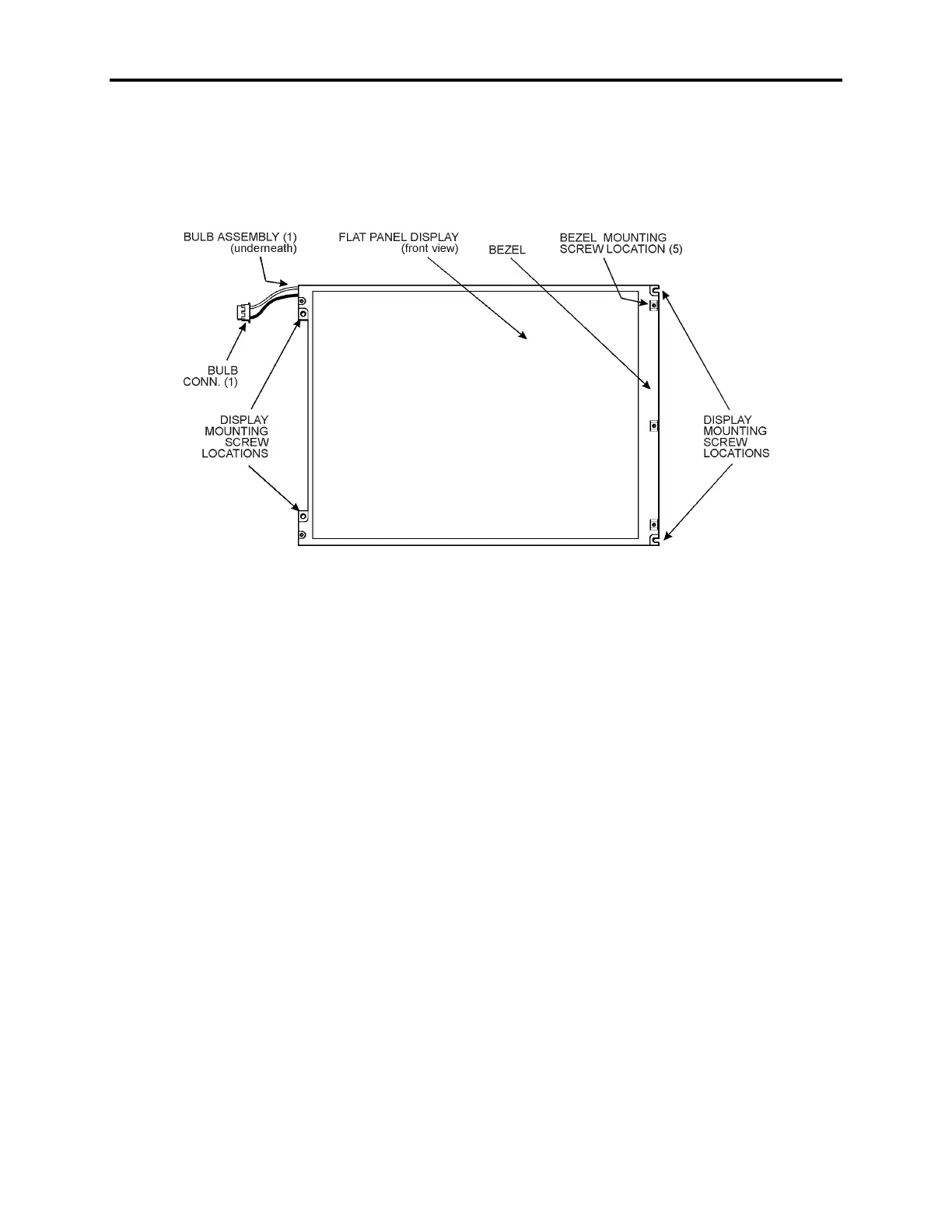
Referring to Figure Appendix D -3, remove the five smaller bezel mounting screws.
Figure Appendix D -3. Model #AA12SB6C-ADFD Bulb Assembly - Front View
12.
Turn the display facedown on a protective surface.
13.
Remove the metal tape holding the bulb assembly cover.
14.
Referring to Figure Appendix D -4, remove the bulb assembly cover and bend back
the foil reflector to expose the bulb assembly.



 To Next Page