9460/9460KP/9462/9462KP System Manual
D-8
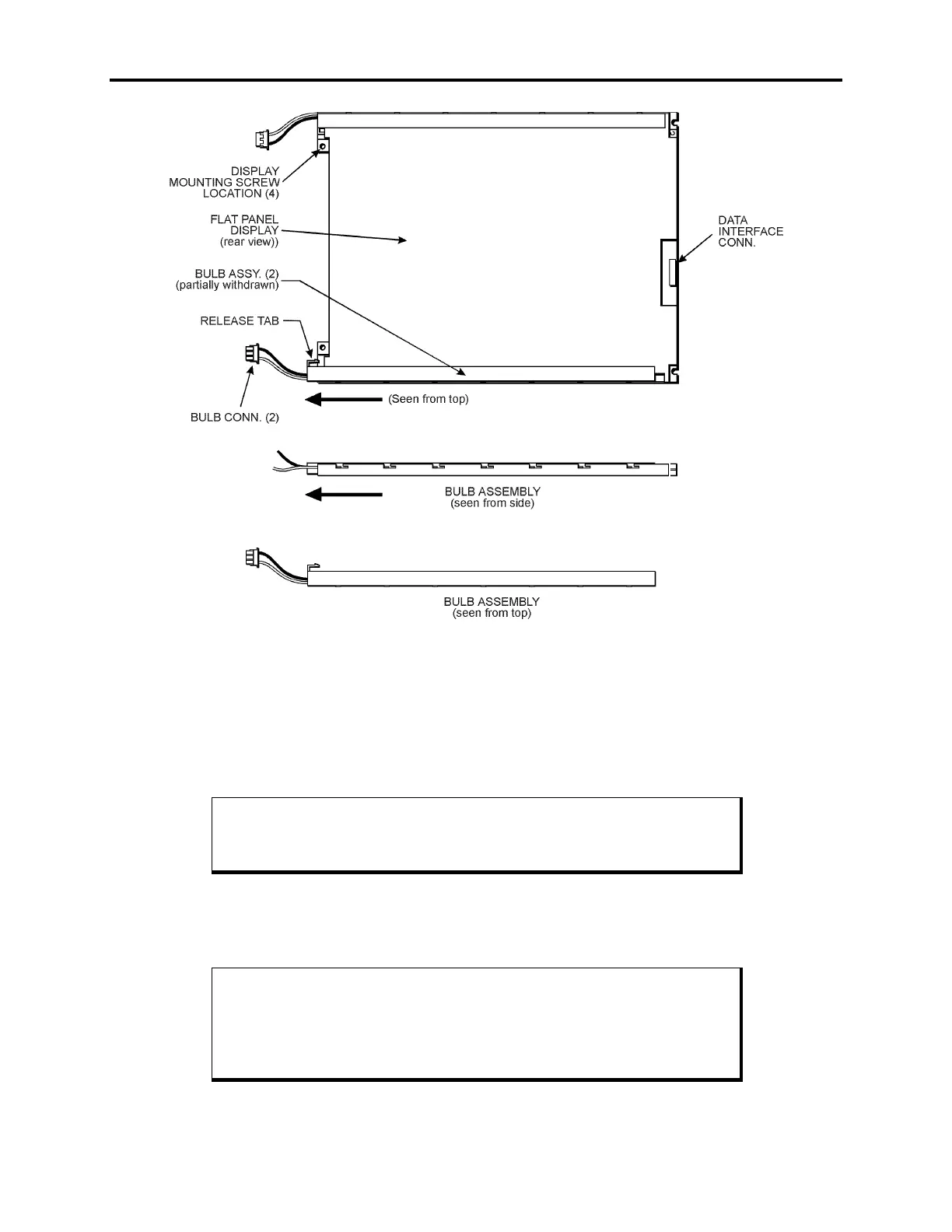
Figure Appendix D -5. Model #KCB8060BSTT-X4 Bulb Assembly - Rear View
12.
Slide the bulb assembly out until it disengages from the notches, and then lift it out
of the display.
13.
Insert the new bulb assembly by placing it over the notches and sliding it until the
release tab locks.
Note
Xycom recommends replacing both bulbs at the same time.
14.
Repeat steps 11 through 13 to replace the second bulb assembly.
15.
Reverse steps 1 through 9 to reassemble the unit.
Note
When reconnecting the bulb connectors, route them inside the standoffs
before connecting them to the inverter board. If you do not, you may not
be able to attach the front panel to the display adapter board.



 To Next Page