9460/9460KP/9462/9462KP System Manual
D-10
12.
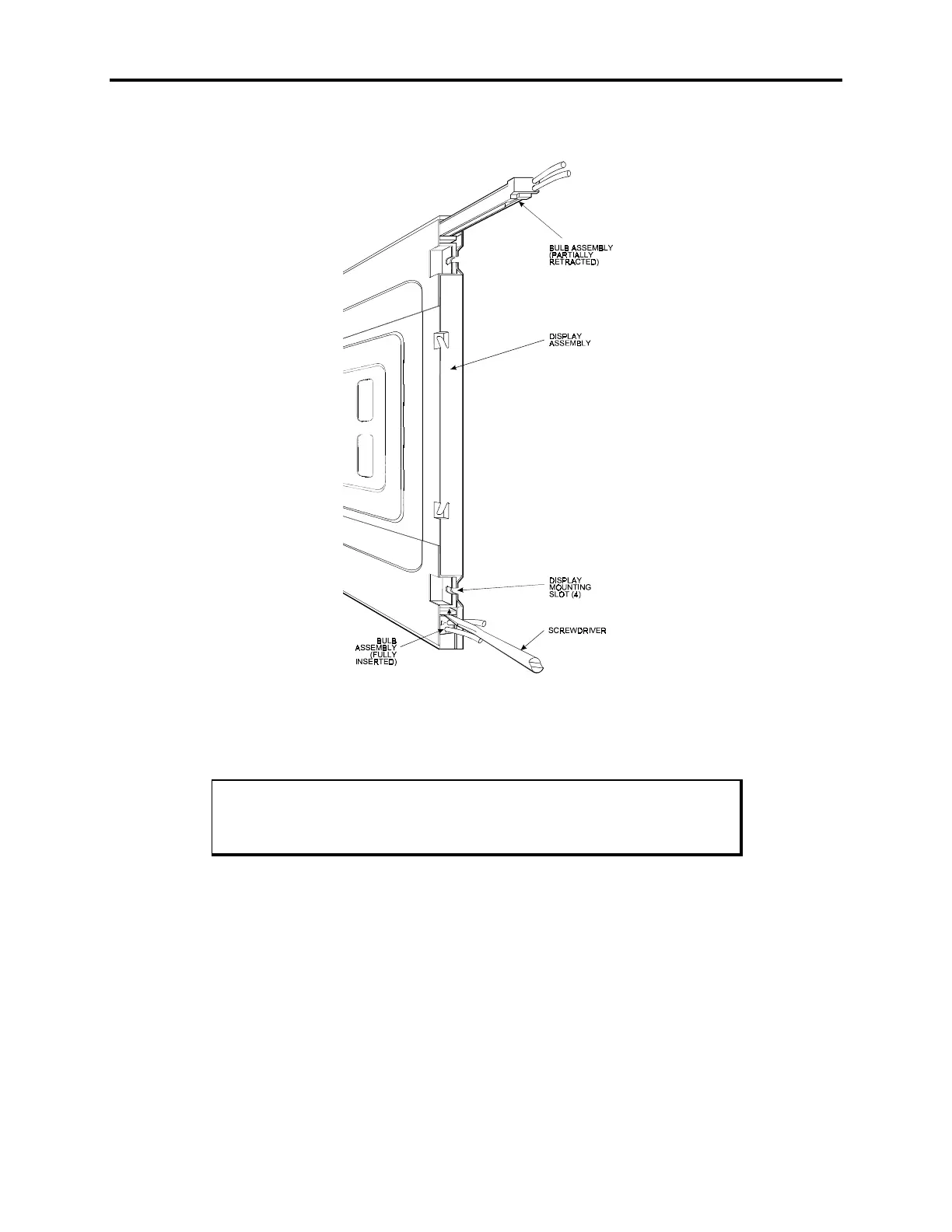
Referring to Figure Appendix D -6, pull the tab on the bulb assembly toward you
until it releases, and then slide the assembly out.
Figure Appendix D -6. Model #LQ12S41 Bulb Assembly
13.
Insert the new bulb assembly, and push in until the tab locks in place.
Note
Xycom recommends replacing both bulbs at the same time.
14.
Repeat steps 12 and 13 for the second bulb assembly.
15.
Reverse steps 1 through 10 to reassemble the unit.



 To Previous Page