124
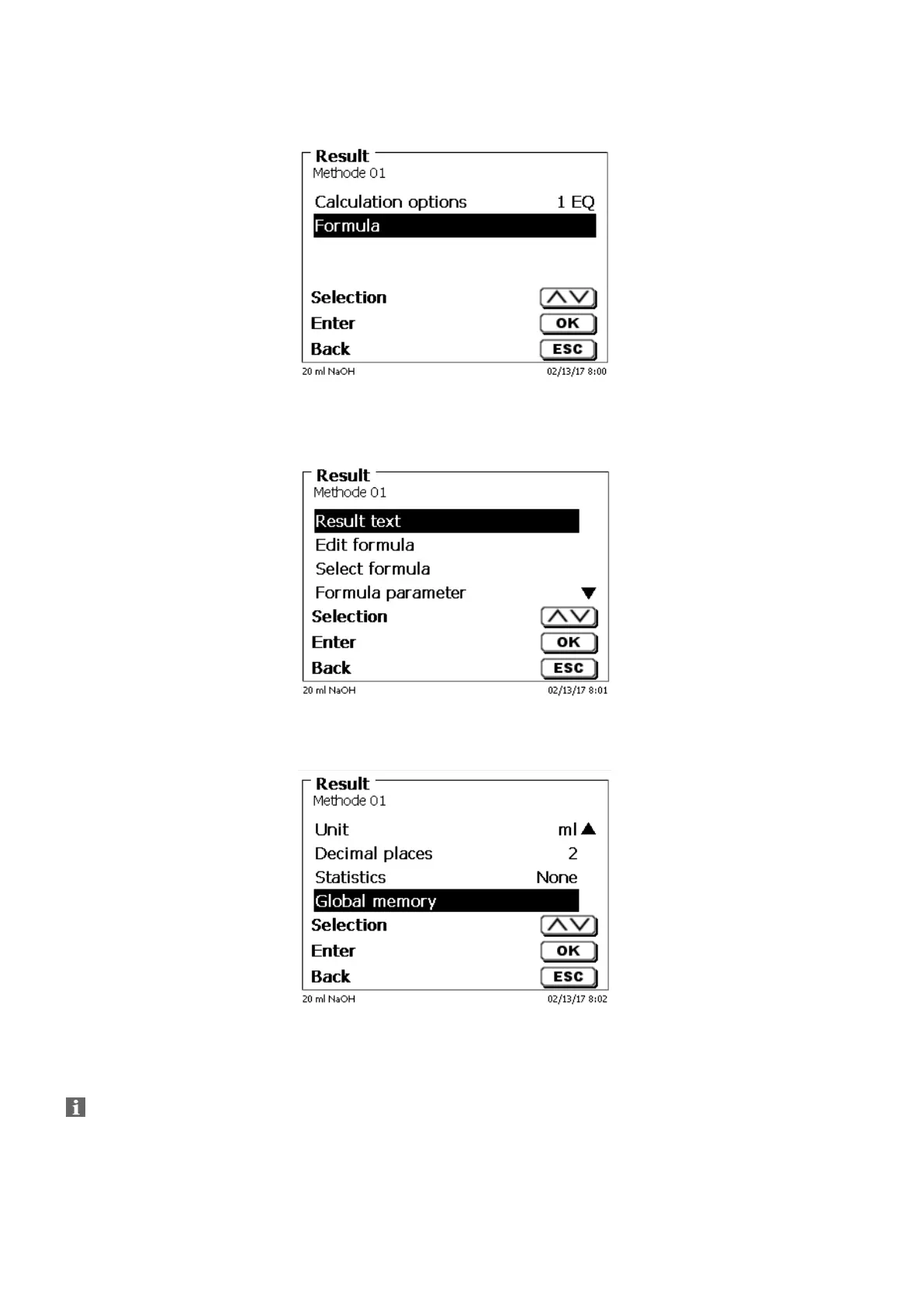
Select “Formula” with <ENTER>/<OK> (Fig. 80).
Fig. 80
The following selection appears (Fig. 81).
Fig. 81
You can select the existing methods with <↓> and <↑> and confirm the selection with <ENTER>/<OK> (Fig. 82).
Fig. 82
«Result text», «Select fomula», «Formula parameter», «Unit», «Decimal places», «Statistics» and
«Global memory» don´t differ from previous versions.
New is the menu item «Edit formula»!


 To Next Page