153
6 Network settings
General 6.1
Via the network/Ethernet interface it is possible to save the results in PDF and CSV -format on shared directories
of a network. Instead of saving results to a network directory, you can also set the output on a network printer.
Connect the titrator to your network with a suitable network cable.
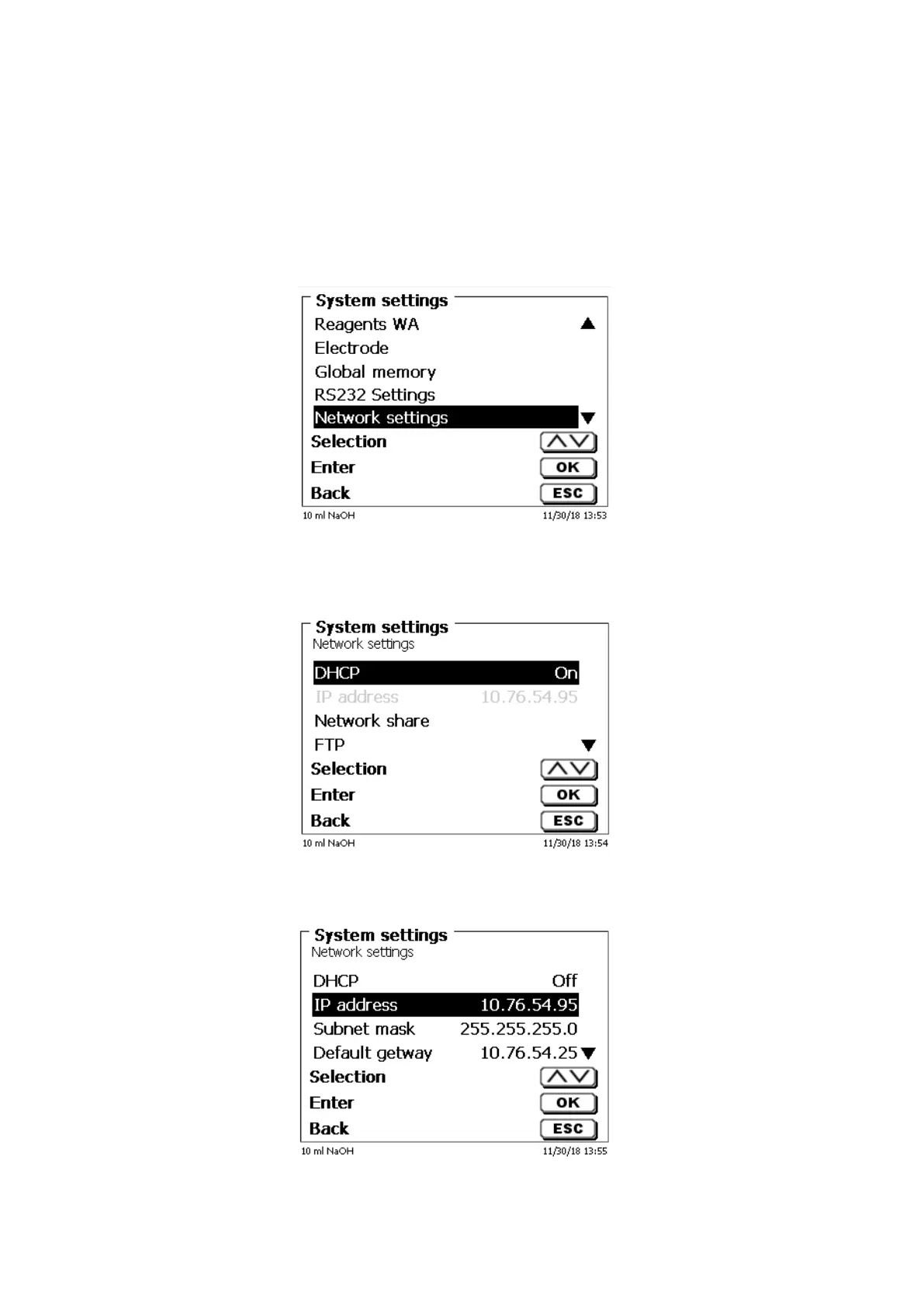
Under «System settings», select the «Network settings» (Fig. 157) and
Fig. 157
conform the selection with <ENTER>/<OK>.
As a rule, the titrator automatically obtains an IP address from the network when DHCP is activated (Fig. 158).
Fig. 158
If DHCP is disabled, you can also enter the relevant network data manually (Fig. 159).
Fig. 159


 To Next Page