154
Setup a shared directory 6.2
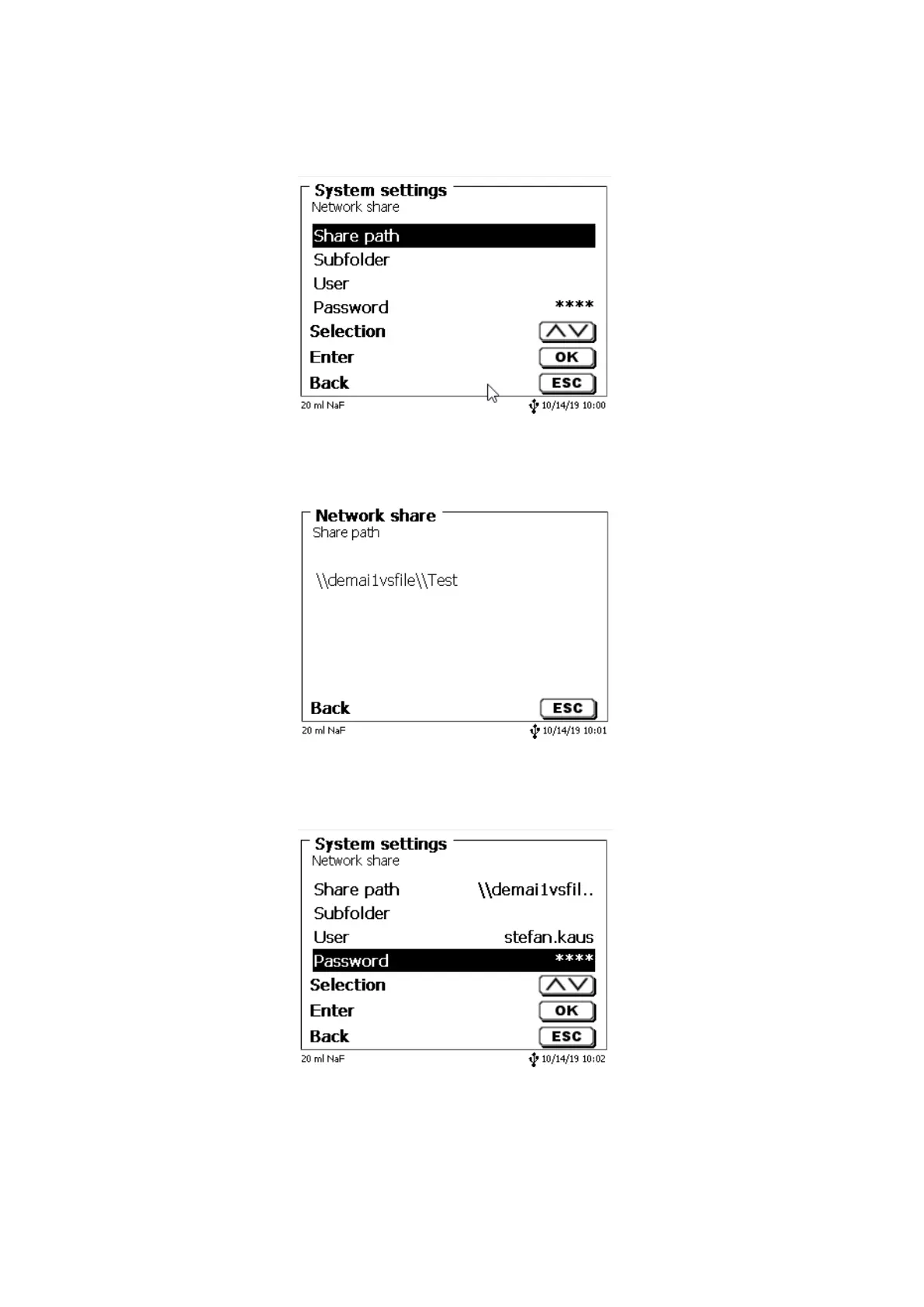
Select «Network share» and confirm your selection with <ENTER>/<OK> (Fig. 160).
Fig. 160
Enter the «share path» (Fig. 161).
Please ask your IT specialist what exactly this path is.
Fig. 161
Complete the entry with <ENTER>/<OK>.
Now enter your «Username» and «Password» for your corporate network (Fig. 162).
Fig. 162
After leaving the network menu short a window appears with information about the connection to the network.


 To Next Page