155
Under «User» and «Password» a combination authorized for the folder must be entered. If access is denied or
the share can not be reached then this will be displayed when exiting the menu.
Now go back one step with <ESC> to the system settings.
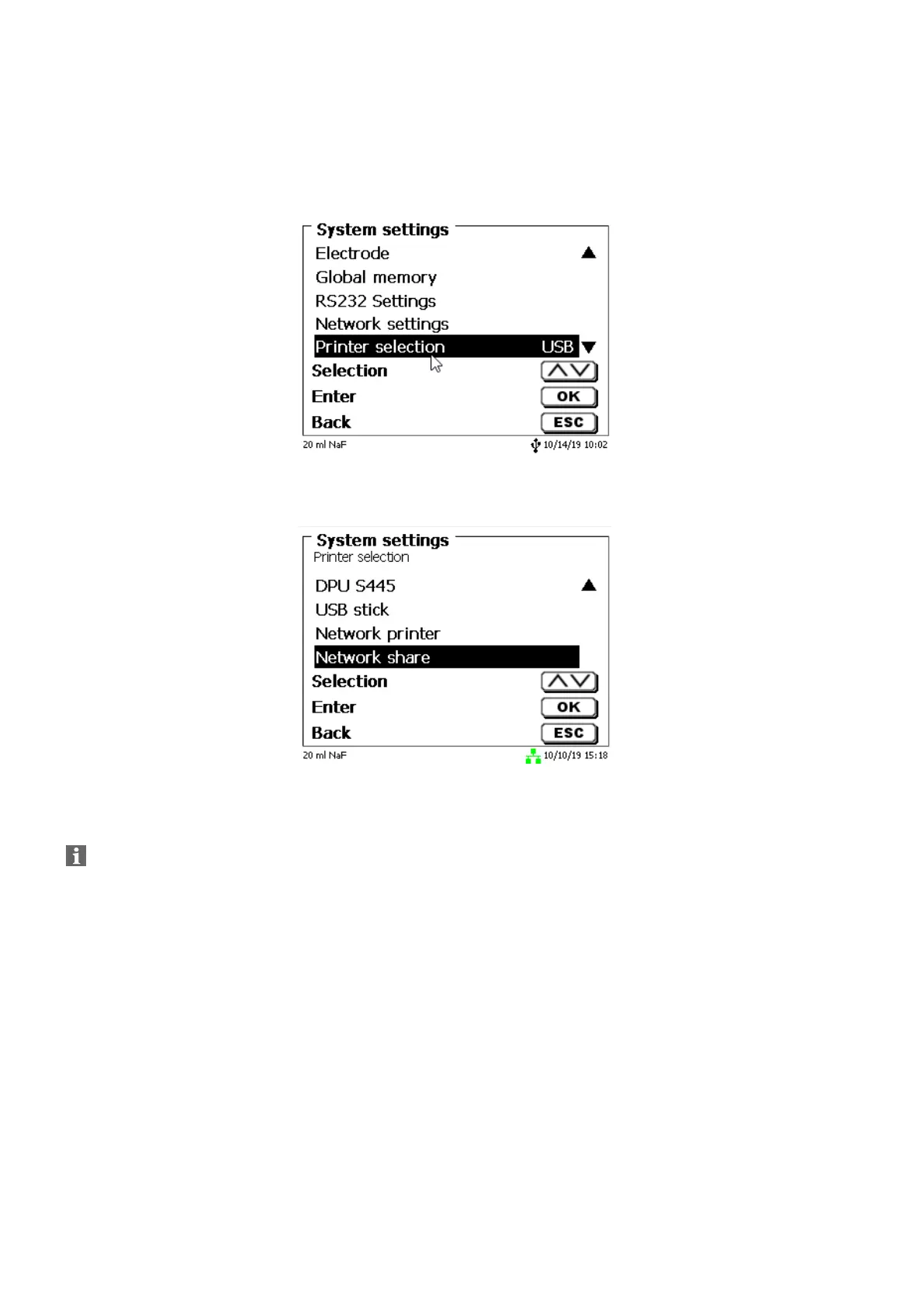
Go to «Printer selection» (Fig. 163).
Fig. 163
And select «Network share» (Fig. 164).
Fig. 164
PDF and CSV files are now automatically saved on the shared network drive.
You can also select a network printer instead of the network share. The network printer must
understand the HP-PCl 3, 4, 5, or 5e printer language.


 To Next Page