15
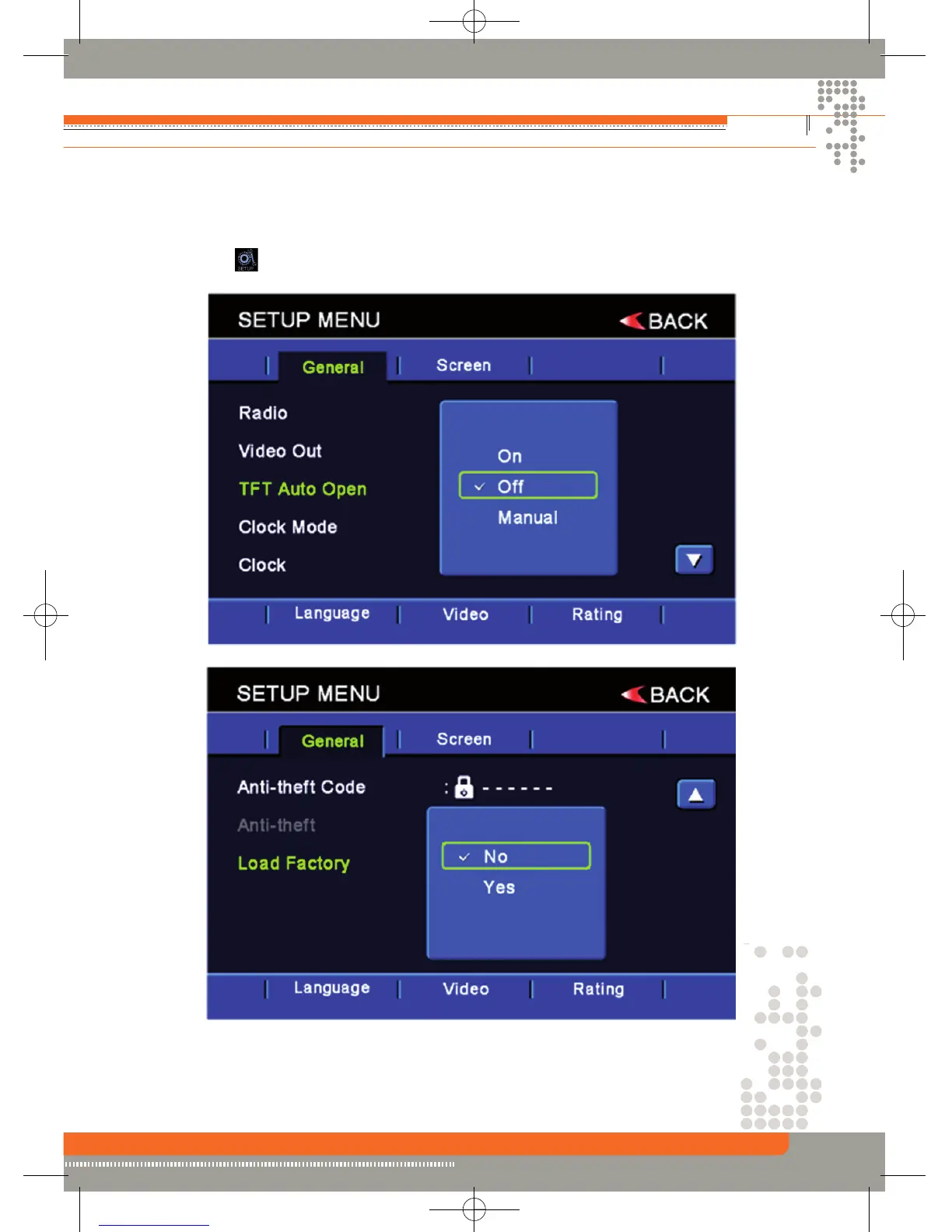
General setup Menu
Accessing the general setup menu
• Press the (MENU) button on the remote control to access the MAIN menu.
• Select the icon on the bottom of the screen and select the general menu to access the
general setup.
Selecting a feature for adjustment
Press the direction buttons on the remote control or touch the option directly on the screen to
select the feature to be adjusted.


 To Next Page