25
Using the Touch-Screen Controls
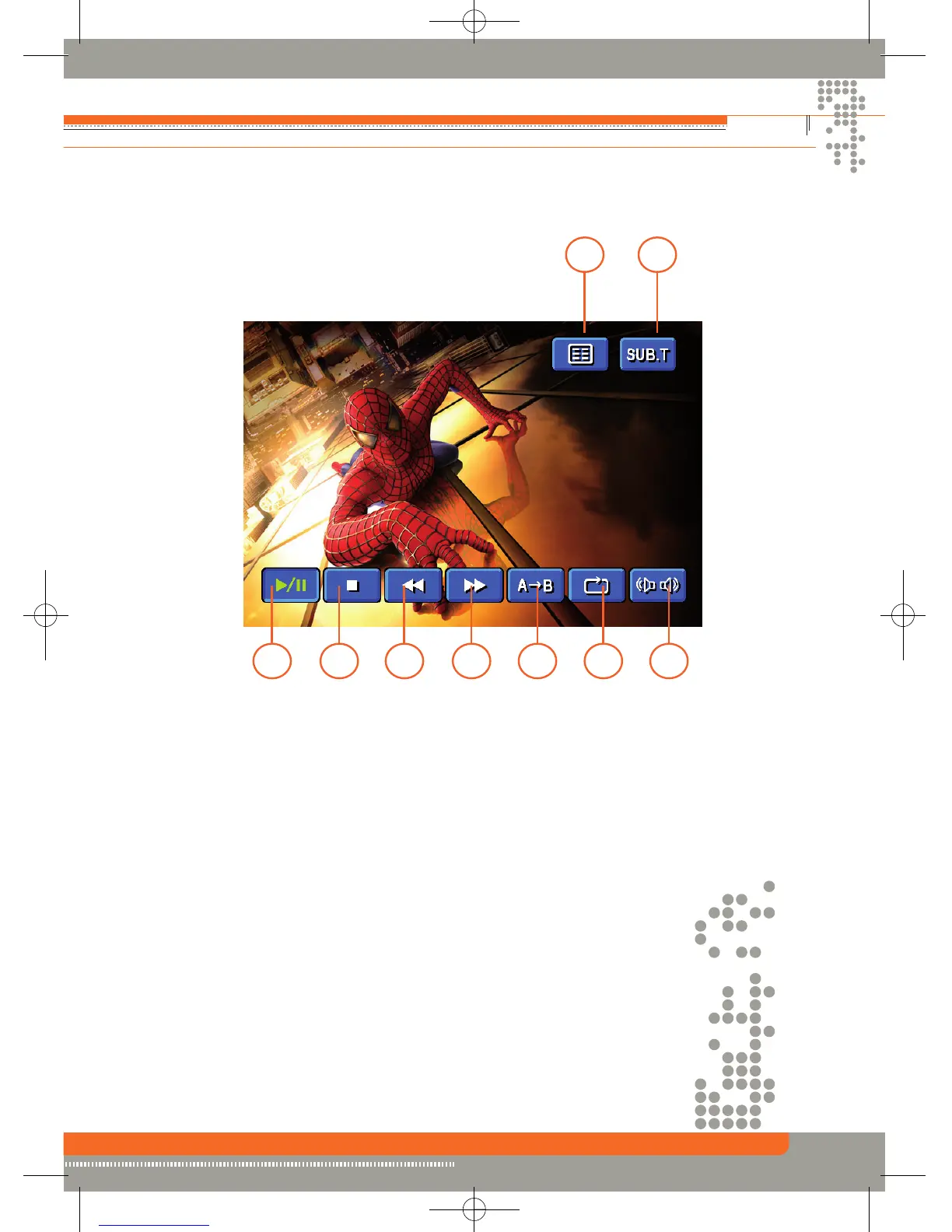
1. Touch to play/pause.
2. Touch to stop.
3. Touch to fast reverse.
4. Touch to fast forward.
5. Touch to repeat from A to B. Select the repeat point A wherever you want to start and the
point B wherever you want to end, then, DVD displays from A to B continually.
6. Touch to repeat playback.
7. Touch to choose a language, if the disc is recorded in multiple languages.
8. Touch to display sub-title.
9. Touch to return to DVD main menu.
1 2
3 4
5
6 7
9 8


 To Next Page