18
System Setup Menu
Language Setting
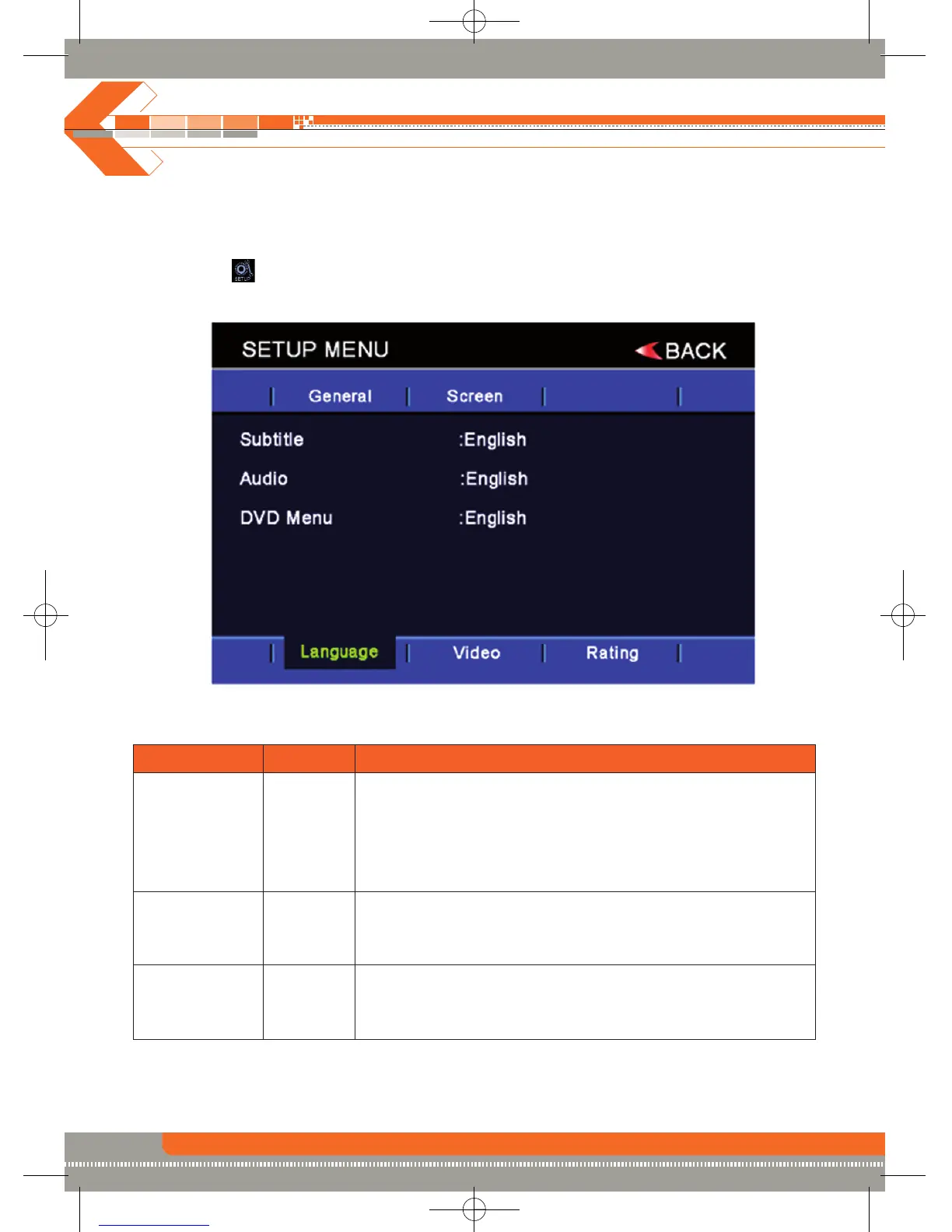
Accessing the language setup menu
• Press the (MENU) button on the remote control to access the MAIN menu.
• Select the icon on the bottom of the screen and select the language menu to access the
language setup.
Adjusting a feature
Setting Options Function
Subtitle English Select desired disc subtitle language.
French
Spanish
German
Auto
off
Audio English Select desired disc audio language.
French
Spanish
German
DVD Menu English Select desired disc menu language.
French
Spanish
German


 To Next Page