System Setup Menu
16
Screen Setting
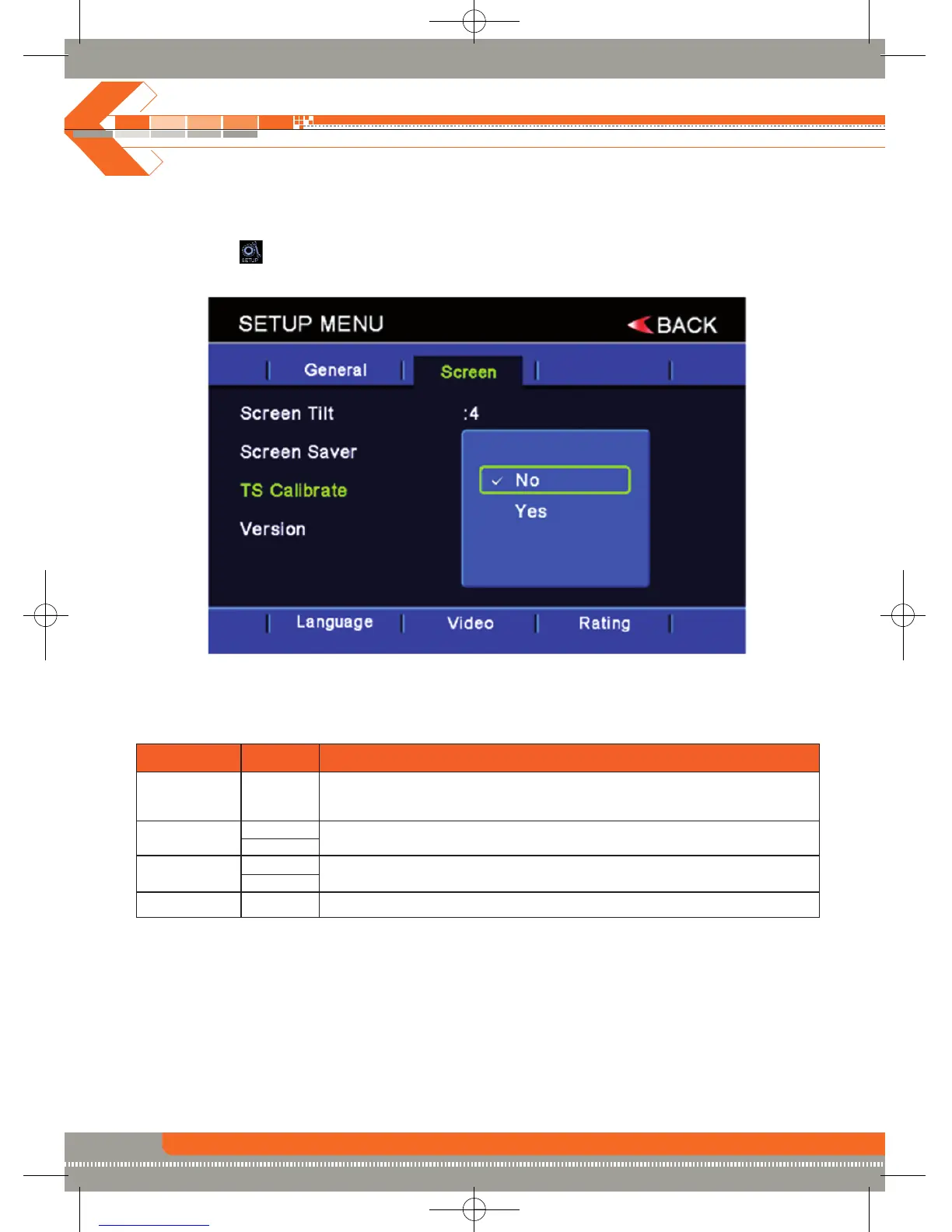
Accessing the screen setup menu
• Press the (MENU) button on the remote control to access the MAIN menu.
• Select the icon on the bottom of the screen and select the screen menu to access the
screen setup.
Adjusting a feature
Setting Options Function
Screen Tilt 1 to 5
Press the ( / ) buttons on the remote control touch the (1 to 5) number on
the screen directly to adjust the tilt of the screen to the desired degree.
Screen Saver On
Touch to activate/deactivate the screen saver.
Off
TS Calibrate No
Touch “Yes” to enter the touch screen calibrate mode.
Yes
Version Displays the software version of the unit.



 To Next Page