CD/MP3/WMA Operation
29
The file naming formats listed below are compatible with this unit:
• ISO 9660 – file name: 12 characters, file extension: 3 characters
• ISO 9660 – file name: 31 characters, file extension: 3 characters
• Joliet – 64 characters
If the file or folder name does not conform to ISO 9660 file system standards, it may not be displayed
or played back correctly.
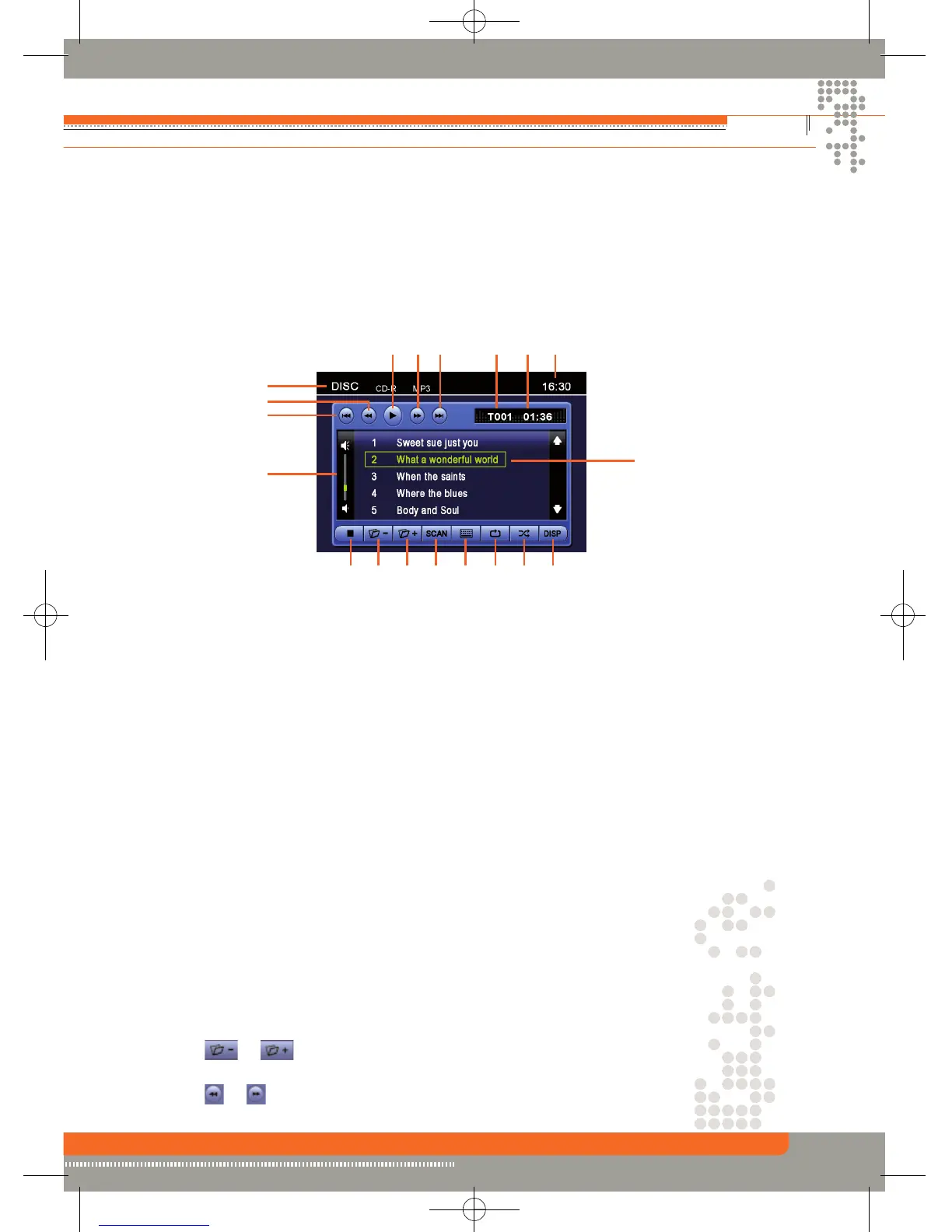
CD Player User Interface
1. Current source indicator, touch this area to access MAIN menu.
2. Touch to fast backward current track.
3. Touch to seek down.
4. Volume indicator.
5. Touch to stop disc playback.
6. Touch to turn to the previous page.
7. Touch to turn to the next page.
8. Touch to activate/deactivate scan mode.
9. Touch to display the numeric keypad on the screen, then you can use the numeric keypad
to access a track directly.
10 Touch to activate/deactivate repeat single mode.
11 Touch to activate/deactivate random mode.
12. Touch to display track title information on the screen.
13. Track title.
14. The curret time.
15. Elapsed playing time.
16. Current track and total number of tracks on disc.
17. Touch to seek up.
18. Touch to fast forward current track .
19. Stop.
Playing CD Files
After inserting a CD disc, files will play in the sequence of the directory. In playback mode, you can
press the numeric button on the remote control or touch a track on the screen directly to play.
Previous/Next Page
Touch the or icon on the screen to navigate through the pages/files.
Fast backward/fast forward
Touch the or icon on the screen to fast backward or fast forward play.
1
2
3
4
56 7 8 9101112
13
141516171819


 To Next Page