Play Mode
Play
Auto Play
Switching time
Cancel OK
5S
Open the file you want to play, press the "M" button on the remote control or
projector, you can select three play modes: paly, auto play, switching time.
2.4. Office Play Interface
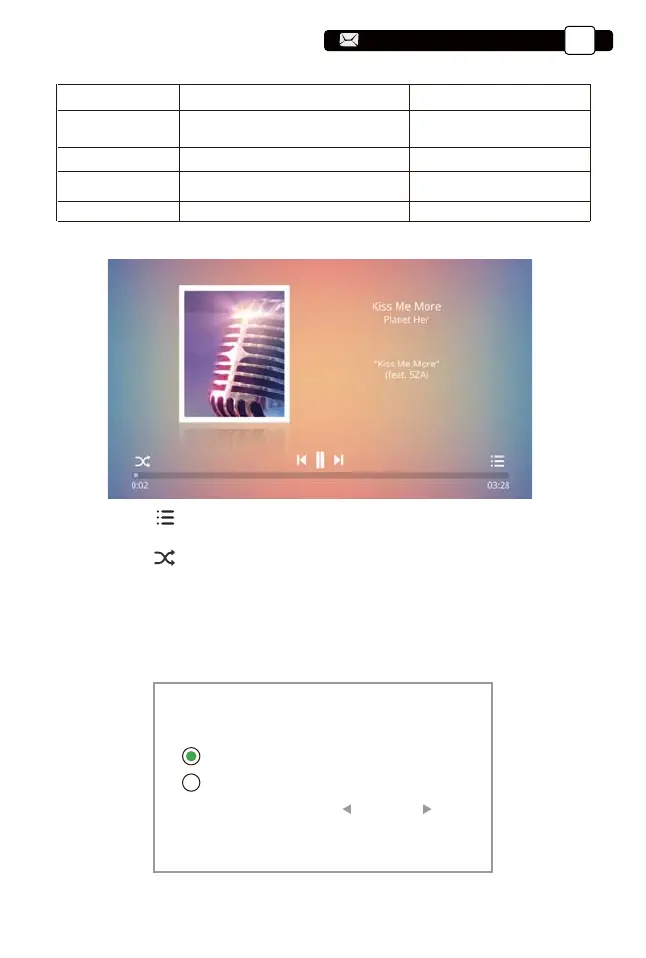
1. Press the " " button on the remote control ,You can directly open the
music list and play directly
2. Press the " " button on the remote control ,You can set the music play
mode, single loop/random play, etc.
2.3. Music Play Interface
Player Menu Include Function
Subtitle options
Audio options
Advanced options
Speed
Subtitle On-Off,Subtitle Switching,
Subtitle advanced
Track Switch
Forward revind
0.25-2
set multiple modes of video
subtitles
You can set the audio mode
You can set the video to fast
forward or rewind
Video playback multiple
Support@yabertech.com
EN
12
aftersales@yabertech.com



 To Next Page