Blueteeth
Sprache
&OHMJTI6OJUFE4UBUFT64
Deutsch(Deutschiand)
Español(España)(ES)
Français(France)(FR)
Italiano(Italia)
Polski(Polska)
Português(Portugal)(PT)
Slobencina(Slovensko)
3\FFNɢɃɊɨɫɫɢɹ
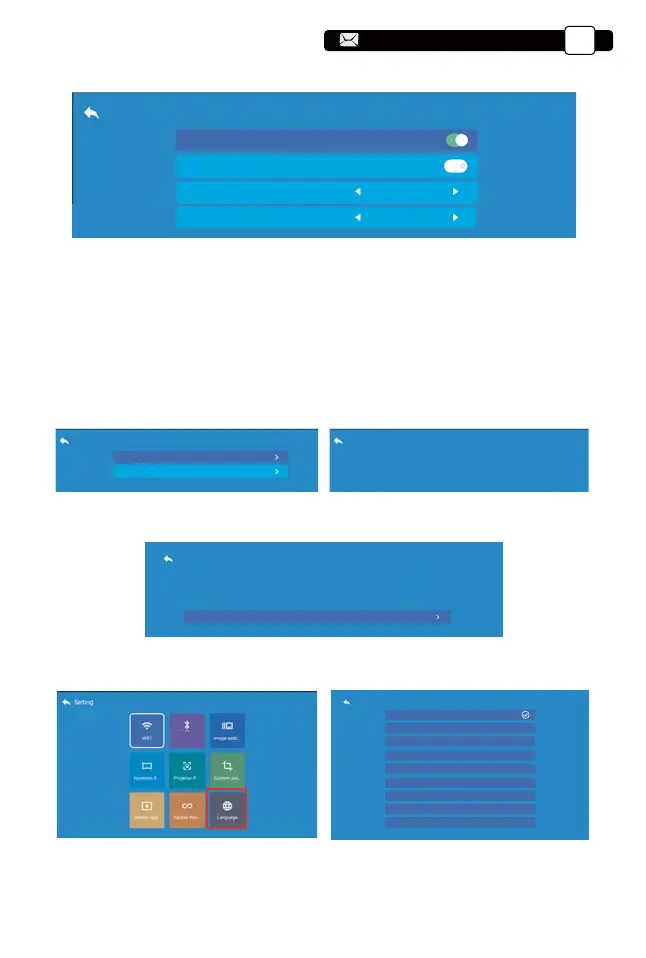
11. Language
Restore factory settings
Restore factory settings
Erase all data, restore all system settings and custom projects
Restore factory settings
Step 1: Press the button to select the [Customer zoom] menu, then
press the [OK] bottom to enter the submenu.
Step 2: Click the "Scaling", TURN the Scaling function,you can reduce the
height and width of projection size up to 50% in the same proportion.
Step 3:Click the "Scaling", OFF the Scaling, you can reduce the horiziontal
ZOOM and Vertical zoom of projection size up to 50% apartly.
8. Customer zoom
9. System update
Custom zoom
Custom zoom
Scaling
Horizontal Zoom
Vertical Zoom
8
11
System upgrade
Online Update
Local Update
Online Update
Current Ver: V 0.0.3
Please check your network connection
10. Factory Reset
Support@yabertech.com
EN
20
aftersales@yabertech.com



 To Next Page