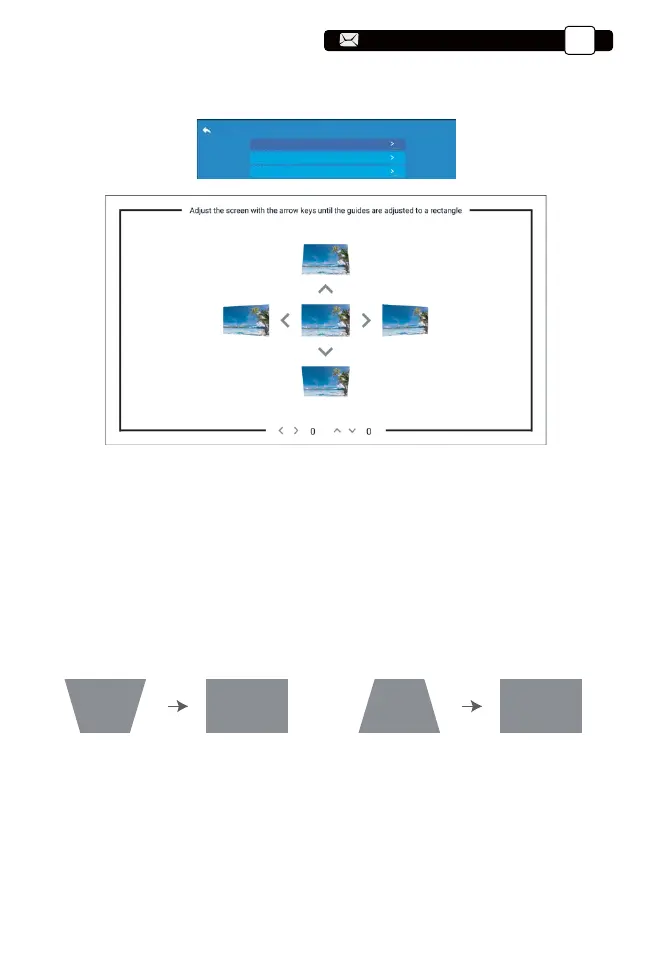
(3) (4)(1) (2)
6.2 4-side Keystone:-40~40
6.3 Reset
Step 1: Press the button to select the [4-side Keystone] menu, then press
the [ OK ] bottom to enter the submenu.
Step 2: If the projection image shows as (1), press the button on the
remote or projector to increase the vertical parameter (-40~0), until to
achieve the projection image (2).
Step 3: If the projection image shows as (3), then press the button on the
remote or projector, and decrease the vertical parameter (0~40), until to
achieve the projection image (4).
Click the “reset”, the parameters will be restored to default values.
4-corner keystone
Keystone Setting
4-style keystone
Reset
Support@yabertech.com
EN
18
aftersales@yabertech.com



 To Next Page