Signal Source
Video Music Picture Office
IOS Cast Miracast
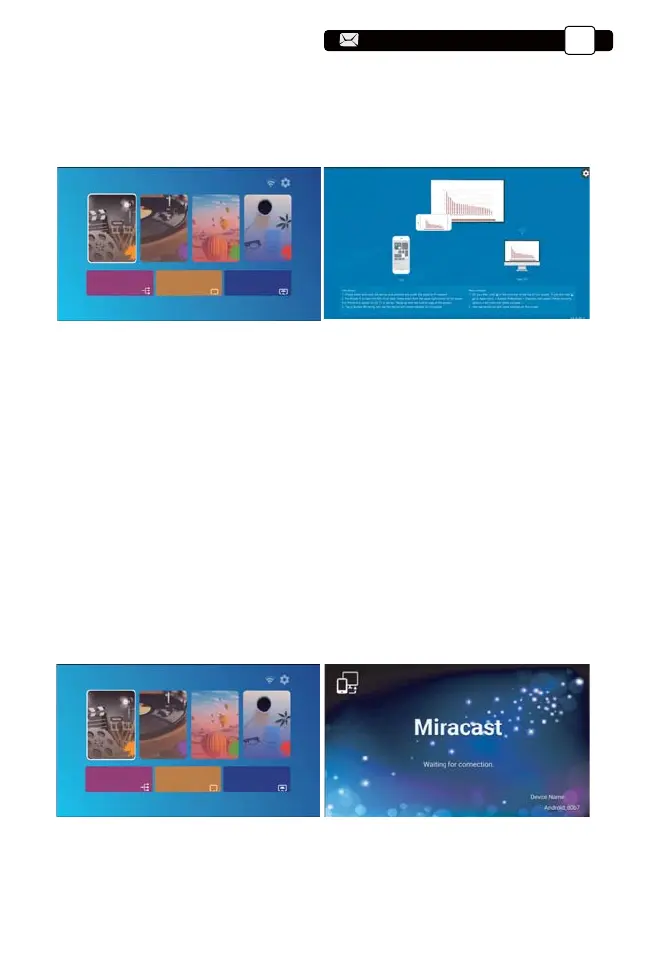
1.Go to home page -- Select the [ Miracast ] menu -- Press the OK button to
enter the [ Miracast Setting ] Menu.
3.2. Miracast (for Android Devices)
Signal Source
Video Music Picture Office
IOS Cast Miracast
2.Back to home page -- Select [ iOS Cast ] menu -- Press the OK button to
enter the [ iOS Cast ] menu.
3.Select the [ Settings ] menu on your iOS device -- Turn on the [ Wi-Fi ]
function -- Connect your iOS device to the same home network as the
projector.
4.Open the [ Control Center ] on your iOS device -- Select the [ Screen
Mirroring ] function -- Select and connect the iOS Cast receiver named [
U9-iOSCast-xxxx ] -- your iOS device screen will be displayed on the
projection screen after 3 seconds.
Support@yabertech.com
EN
14
aftersales@yabertech.com



 To Next Page