1
2
3/11
4
5
6/7
8
9
10
12
13
14
15
16
17
Foot pad
IR Window
Projector lens
Power Cord Port
Headphone Jack
HDMI Ports
USB Ports
AV Port
Speakers
Vents
Focus Ring
Detachable Dust
Filter Switch
Detachable Dust Filter
Bottom label
Rubber Pads
Increase the height of the projector
Infrared signal receiver
Optical coated glass lens
Power Cord Port
3.5mm Headphone Output
HDMI 1 input / HDMI 2 input
USB port above
USB port below: USB-T port
Audio input
Speakers stereo 5w
Prevent the projector from overheating
Adjust the focus ring to get the clearest image
Push the switch from the right to open the
detachable dust filter
Clean the dust (if the screen has a black spot)
Nameplate on the bottom of the projector
Protective pads/remove to install ceiling mount
1
2
3
4
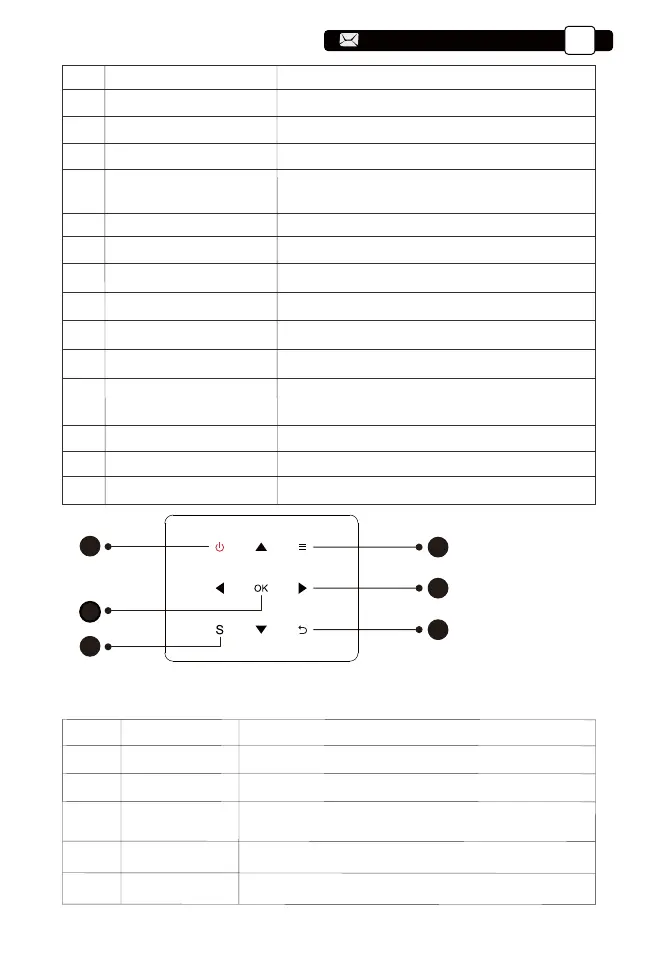
Power
Menu Key
OK
Arrow Keys
Turn on/off the power
Tips: Pro U9 fuselage buttons are touch-screen buttons, which can be operated with a
light touch.
Operate in av or hdmi mode
Confirm the option
5 Source Select the input signal soucre
6 Back Return to the previous menu
Used to adjust the parameter of the projector in the
menu mode
1
2
6
4
3
1. Power Key
2. Menu
3. OK Key
4. Arrow Key
5. Source
6. Back
5
Support@yabertech.com
EN
05
aftersales@yabertech.com



 To Next Page