35
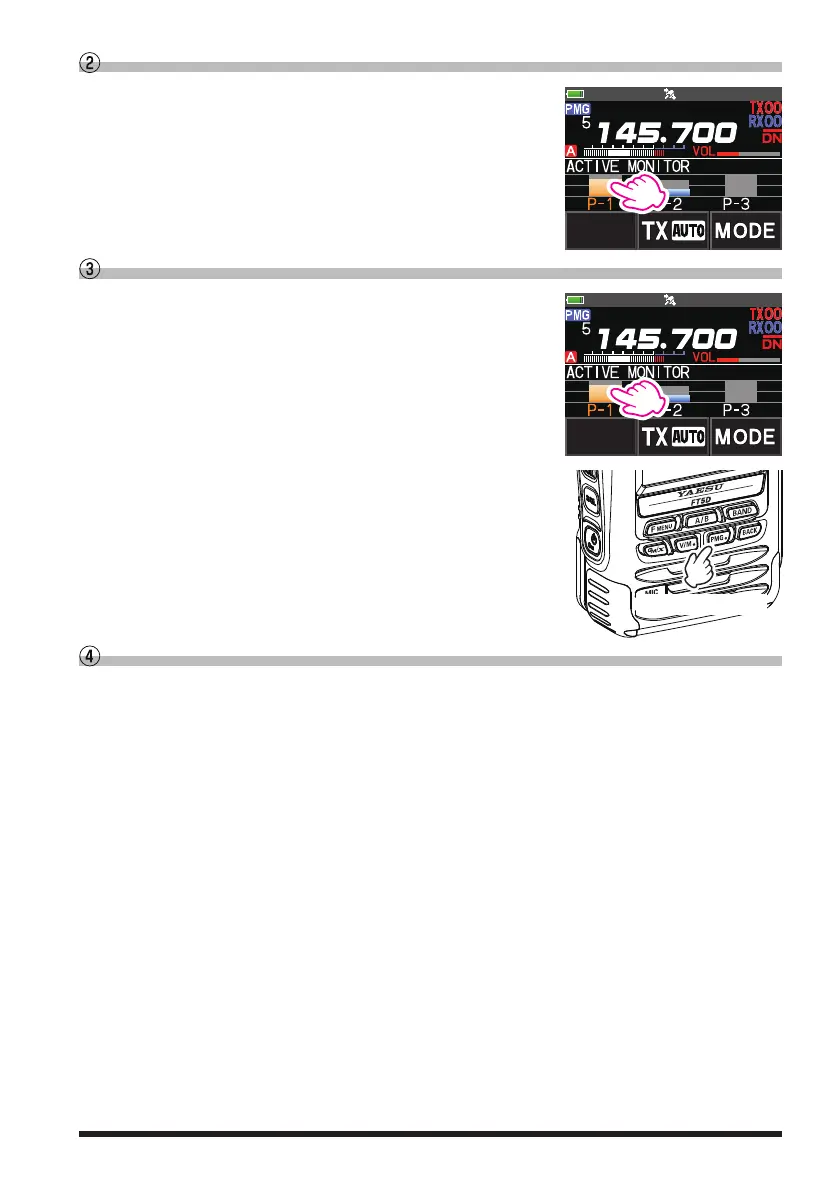
Touch the bar graph to switch the frequency
1. Touch the bar graph on the screen.
•
The touched bar graph is displayed in orange and the
receive is set to that frequency.
•
The receive frequency may also be changed by turn
-
ing the DIAL knob.
YAESU
Unregister the channel (frequency) registered in PMG
1. Select the channel (frequency) to be unregistered by
touching the bar graph or turning the DIAL knob.
YAESU
2. Press and hold the [PMG
] key to cancel the registra-
tion.
When the number of registered channels reaches
zero, PMG will be canceled and the display will return
to the original screen.
Press and Hold
Disable the PMG function
Press the [PMG
] key or press the [BACK] key.
The display will return to the screen before starting PMG.


 To Next Page