22
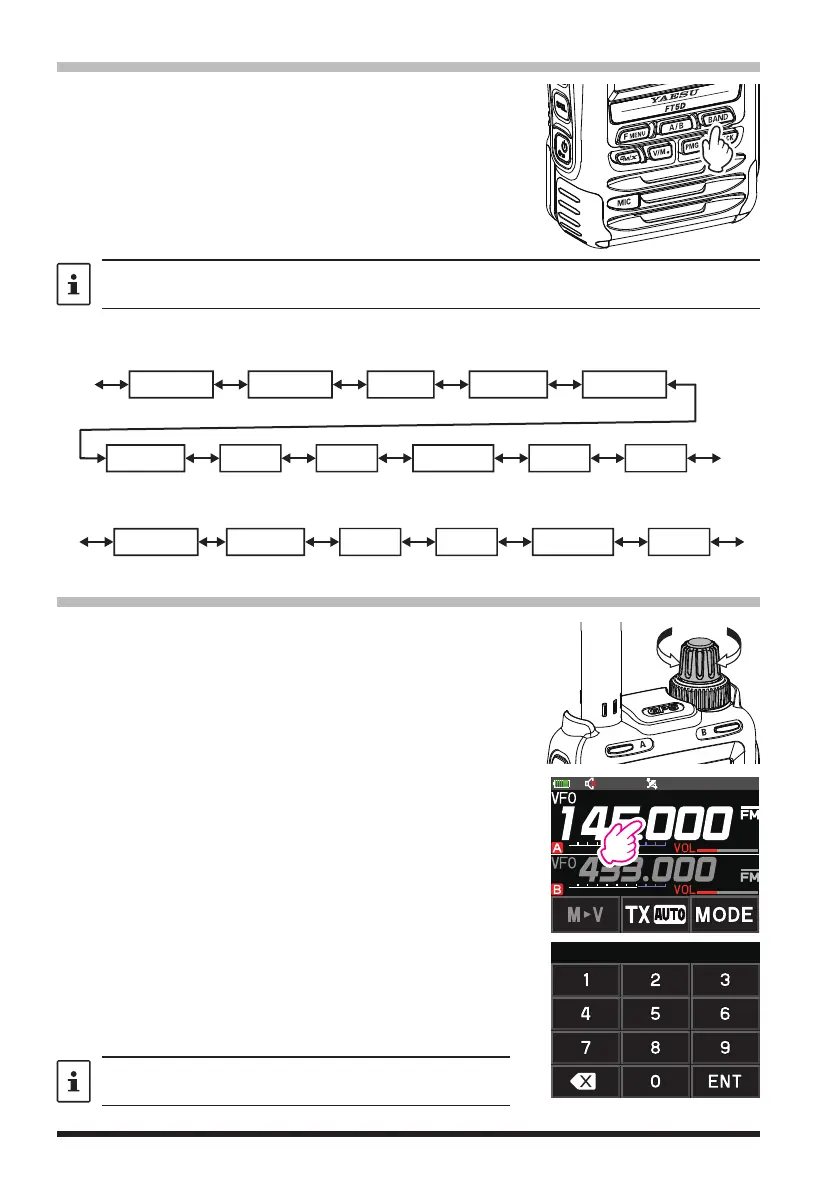
Selecting a Frequency Band
Press the [BAND] key to select the desired frequency
band.
1. Press the [F ] key to display the function menu
screen.
2. Press the [BAND] key to switch the frequency bands
in reverse order.
3. Press the [BACK] key to return to the previous
screen.
Unwanted frequency bands can be set in the setup menu so they are not displayed in the
A-band or the B-band. Use Set Mode [CONFIG]
[22 BAND SELECT] (see page 66).
The frequency bands that can be selected for each of the A and B bands are as follows:
●
Frequency bands on A-band
SW Band
50 MHz BandFM BC Band AIR Band
144 MHz Band
VHF (1) VHF (2)
430 MHz Band
UHF (1) UHF (2)
AM BC Band
520kHz~1710kHz 76 (88*)MHz~108MHz
* Europe version
1.8MHz~30MHz 30MHz~76 (88*)MHz 108MHz~137MHz
137MHz~174MHz 174MHz~222MHz 222MHz~420MHz 420MHz~470MHz 770MHz~999.995MHz
●
Frequency bands on B-band
AIR Band
144 MHz Band
VHF (1)
430 MHz Band
470MHz~579.995MHz
108MHz~137MHz
137MHz~174MHz 174MHz~222MHz 222MHz~420MHz 420MHz~470MHz
VHF (2) UHF (1)
Tuning to a Frequency
●
DIAL knob
1. Press the [F ] key to display the function menu
screen.
2. Rotating the DIAL knob, the frequency will change in
1 MHz steps.
3. Press the [BACK] key to return to the previous
screen.
●
The numeric keys
1. Touch and hold the frequency displayed on the LCD.
The numeric keypad appears.
2. Enter the frequency using the numeric keys.
Example: To input 145.520 MHz
[
1
]
[
4
]
[
5
]
[
5
]
[
2
]
Example: To input 430.000 MHz
[
4
]
[
3
]
[
ENT
]
When entering a frequency using the numeric keys, it
may be canceled by pressing the PTT switch or any key.
145.000



 To Next Page