29
Repeater Operation
Communicating Via the Repeater
The transceiver includes an ARS (Automatic Repeater Shift) function which sets the re-
peater operation automatically when the receiver is tuned to the repeater frequency.
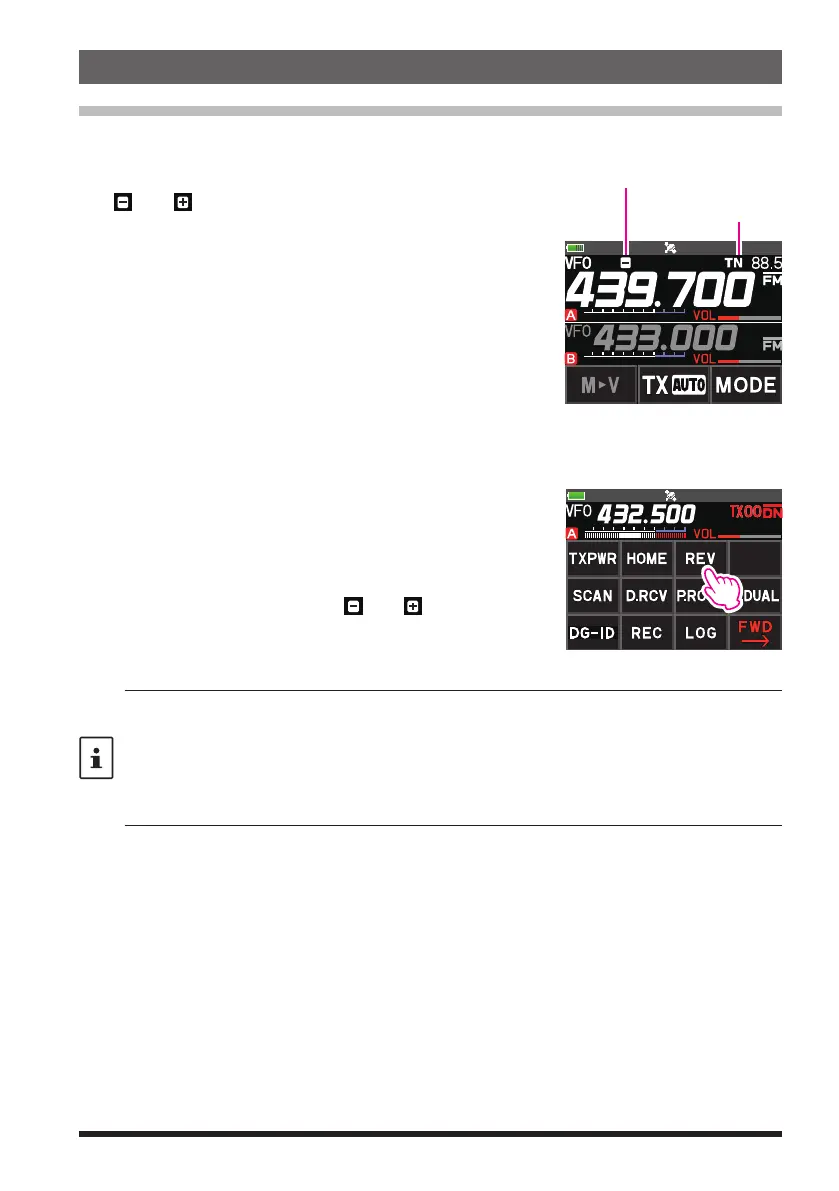
1. Set the downlink (output) frequency from the repeater.
2. “
” or “ ” and “TN” icons may automatically appear
above the frequency.
3. Speak into the microphone while pressing and holding
the PTT switch.
Tone Encoder Icon
●
The reverse state
The “reverse” state temporarily reverses the transmit and receive frequencies. This
allows checking to find if direct communication with the other station is possible.
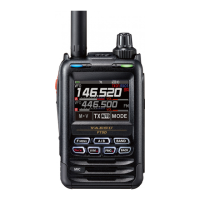
1. Press the [F ] key, then touch [REV].
If [REV] is not displayed, touch [BACK
] to display
[REV] and then touch it.
•
The transmit and receive frequencies are temporar-
ily reversed (“reverse” state).
•
In the “reverse” state, the “
” or “ ” blinks on the
display.
2. Press the [F ] key, then touch [REV] to exit from
the “reverse” state.
• The ARS function may be set to OFF in the Setup Menu [CONFIG]
[14 RPT ARS].
• The repeater settings may be changed from the Setup Menu.
Setup Menu
[
CONFIG
]
[
15 RPT SHIFT
]
: Allows setting the repeater shift direction.
Setup Menu
[
CONFIG
]
[
16 RPT SHIFT FREQ
]
: Allows changing the repeater shift
offset.
Setup Menu
[
SIGNALING
]
[
12 TONE SQL FREQ
]
: Allows setting the tone encoder
frequency.
●
Tone Calling (1750 Hz)
If the transceiver is an FT5DE (European version), press and hold in the MONI/
T-CALL switch (just below the PTT switch) to generate a 1750 Hz burst tone to access
the European repeater. The transmitter will automatically be activated, and a 1750 Hz
audio tone will be superimposed on the carrier. Once access to the repeater has been
gained, you may release the switch, and use the switch for activating the transmitter
thereafter. If you need to access the repeaters which require a 1750 Hz burst tone
for access by the FT5DR (USA/Asian versions), you can set the switch to serve as a
“Tone Call” switch instead. To change the configuration of this switch, use Set Mode
[CONFIG]
[10 MONI/T-CALL].



 To Next Page