41
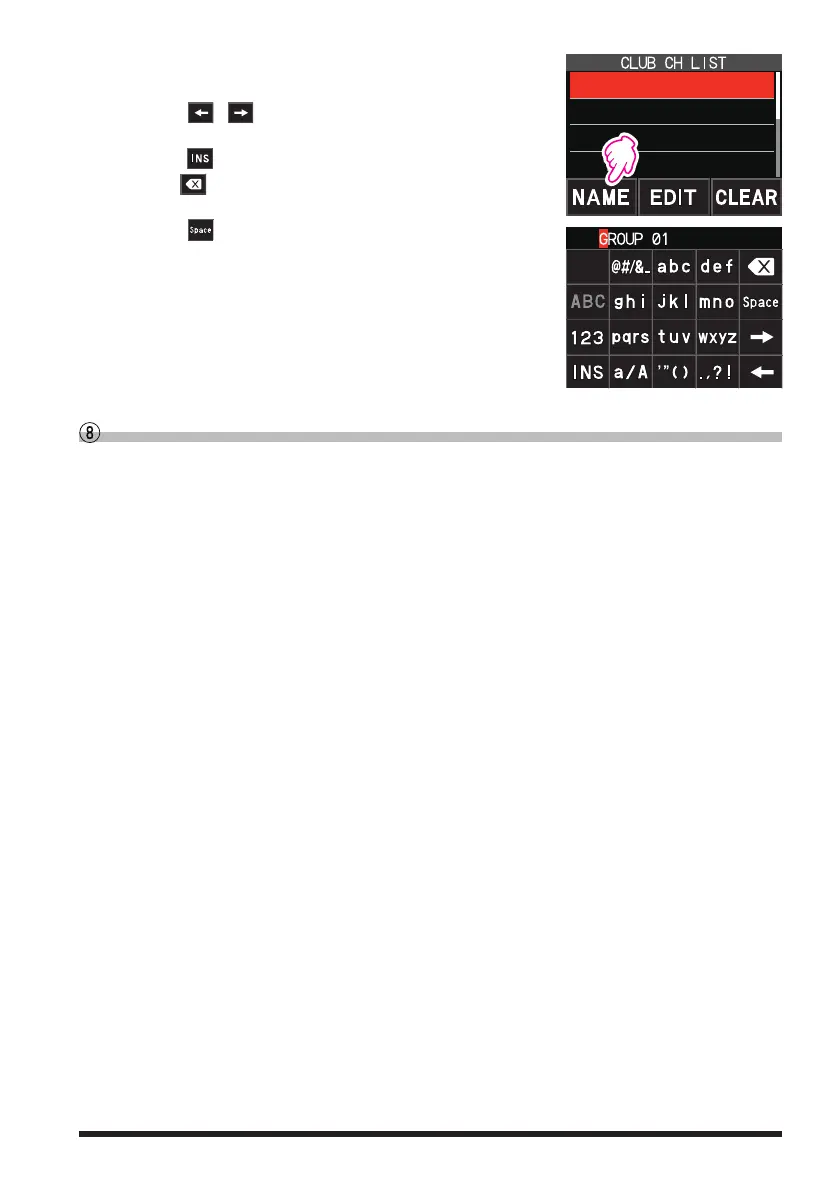
3. Touch [NAME].
4. Enter up to 16 characters for the CAM group tag.
•
Touch [
/ ] to move the cursor to left/right in the
text input area.
•
Touch
[ ]
to insert a space at the cursor position.
•
Touch
to erase the character at the cursor posi-
tion.
•
Touch [
] to enter a space at the cursor position.
5. Press the [F ] key to return to the previous screen.
Press the [BACK] key to return to the CAM screen with-
out changing the tag.
2 GROUP 02
3 GROUP 03
4 GROUP 04
1 GROUP 01
Disable the CAM function
Press the [BACK] key or press the [F ], and then touch [CAM
]
.



 To Next Page