24 Chapter 4—Touring DME Manager
DME32—Owner’s Manual
Tool Bar
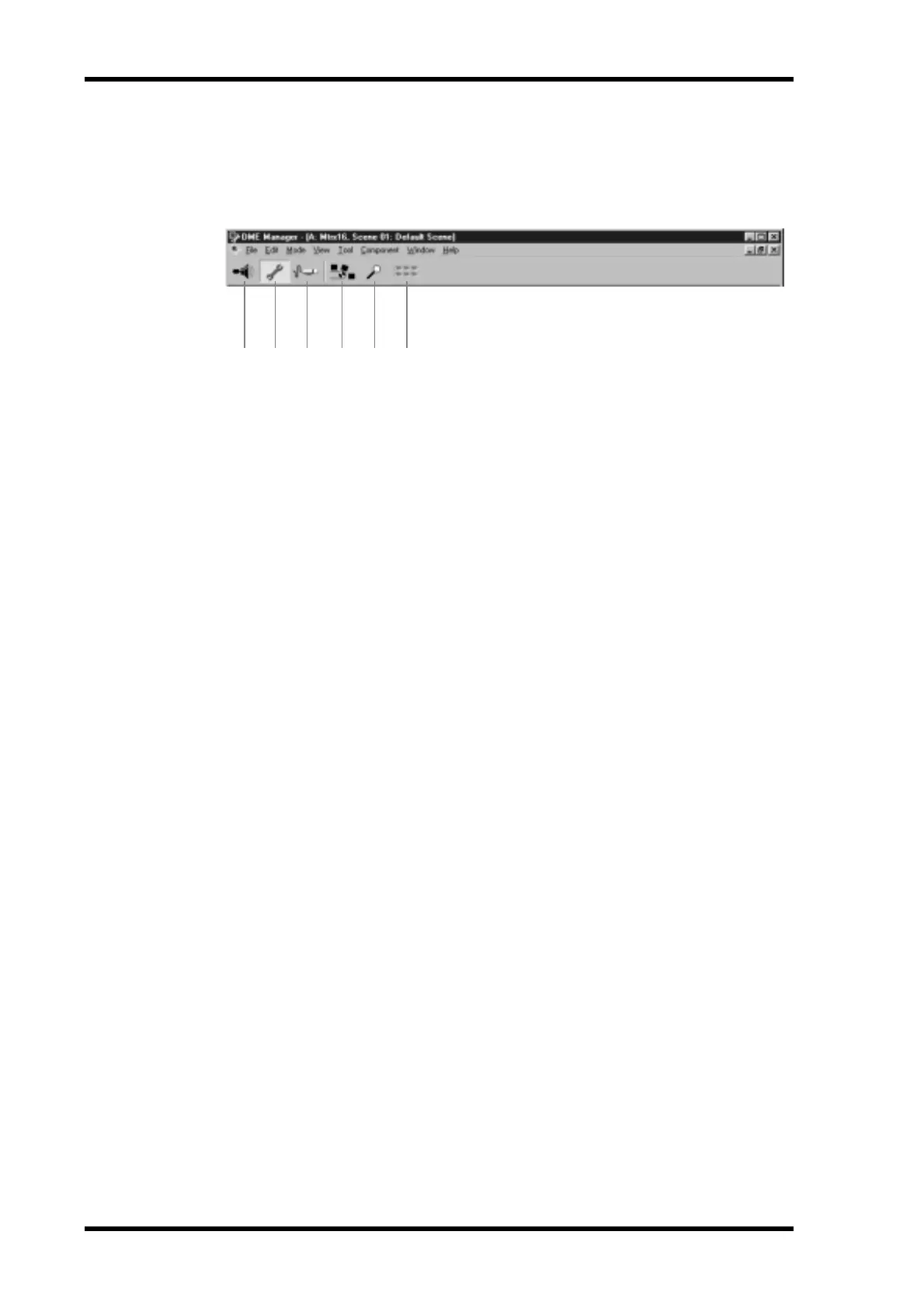
The Tool Bar provides convenient access to the Run, Edit, and Cable modes and the
Compile, Zoom, and Align functions.
A Run mode
This button selects Run mode. See “Run Mode” on page 22 for more information.
B Edit mode
This button selects Edit mode. See “Edit Mode” on page 22 for more information.
C Cable mode
This button selects Cable mode. See “Cable Mode” on page 22 for more information.
D Compile
This button compiles the current configuration. See “Compiling Configurations” on
page 61 for more information.
E Zoom
This button cycles through the Zoom settings: 25%, 50%, 75%, 100%, 150%. See
“Zooming Configuration Windows” on page 50 for more information.
F Align
This button aligns all components to the grid. See “Aligning Components to the Grid”
on page 49 for more information.
1 2 3 4 5 6


 To Next Page